AI Avatar from Images
Upload Image
Click or drag a file to this area to upload
Format: jpg/png/webp, Size: up to 20M
Dimensions: Width and height between 300-5000 pixels
Upload Image
Click or drag a file to this area to upload
Format: jpg/png, Size: up to 20M
Photo avatar
Create an AI avatar from a photo
Turn one front-facing portrait into a reusable speaking avatar. No camera, script, or studio recording is needed — the photo becomes an avatar you can select every time you create a lip-sync video.
- One front-facing face
- JPG, PNG or WebP, up to 20 MB
- Trained in about a minute
AI Avatar from Images Operation Process
- Upload a photo of yourself.
- The AI will drive the photo to move and speak. Make sure you look attractive and clear.
- After uploading, click 'Instant Avatar' to start the AI training. Wait for 1 minute, then your AI clone can be selected from 'Create LipSync' - 'My Avatars'.
- Uploading photos of public figures is prohibited, and the system will return a failure.
Price: 30 credits
Original Material Requirements
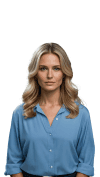
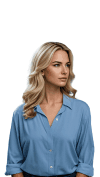
- The person in the image should be facing forward (angle should allow both ears to be visible).
- Ensure there is only one face in the image; images containing multiple faces are not supported.
- The face should neither be too large nor too small. Ensure the entire face is within the screen area and not cropped out. It is recommended that the face width occupy between one-tenth and one-third of the overall image width.
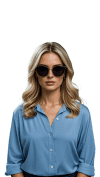
- Make sure facial features are not obscured, ensuring clear visibility of the facial features and contours.



Original Background Requirements
- If you need to remove the background from the uploaded image or video, please upload an image of the corresponding background. The background image must match the size and resolution of the original image or video. The background image is not the one you will replace in the future, but the background part of your original image or video. For example, if your video is a talking head shot of you in a room, the background image must be a photo of the room taken from the same angle.
- If your original image or video has a solid color background, such as a green screen, you can also select a color from the color palette that matches the background color of your video.
- If you do not need to remove the background, please ignore uploading the background image.
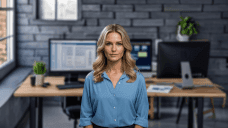
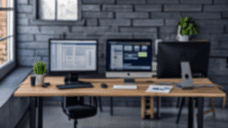
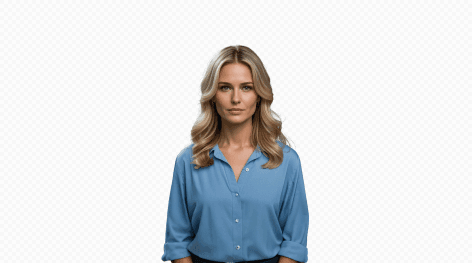
Photo avatar or video avatar?
A photo avatar is the fastest route: one still portrait, about a minute of training, and the avatar is ready to speak any script you give it. A video avatar learns from a speaking performance instead, so it captures your natural motion and can be trained further for closer lip-sync. If you already have usable footage, train from video; if all you have is a headshot, start here.
Permission and public figures
A photo avatar reproduces a real person’s likeness, so only upload portraits you own or are authorized to process, and obtain the subject’s consent for avatar creation and its intended use. Photos of public figures are not accepted — the training job returns a failure instead of an avatar.
AI avatar from a photo FAQ
How do I create an AI avatar from a photo?
Upload one front-facing portrait, start Instant Avatar to train it, and after about a minute select the finished avatar from My Avatars when creating a lip-sync video.
How many photos do I need, and what kind of photo works best?
One photo is enough. Use a forward-facing portrait where both ears are visible, keep a single face in frame with no sunglasses or other obstructions, and let the face width take up between one-tenth and one-third of the image width.
What image formats and file sizes can I upload?
The uploader accepts JPG, PNG, and WebP images up to 20 MB. Higher-resolution portraits give the avatar more facial detail to work from.
How long does photo avatar training take and what does it cost?
Photo avatar training runs for about a minute and costs 30 credits. Video avatar training takes longer because it learns from a speaking performance.
Should I create the avatar from a photo or from a video?
Choose photo mode when you only have a still portrait and want the fastest setup. Choose video mode when you can supply a speaking recording, which supports continued training for closer lip-sync.
Can I create an avatar from a photo of someone else?
Only with that person’s permission. Upload photos you own or are authorized to process, and obtain consent for avatar creation and its intended use. Photos of public figures are rejected and the job returns a failure.