AI Avatar from Videos
Upload Video
Click or drag a file to this area to upload
Format: mp4/mov, Duration: 3 seconds to 5 minutes
Resolution recommended 720P or 1080P, maximum 4K
Upload Image
Click or drag a file to this area to upload
Format: jpg/png, Size: up to 20M
Reusable digital twin
Create an AI avatar from your own video
Train a reusable speaking avatar from one clear recording, then use it in future AI videos without filming the same performance again.
- 3 seconds to 5 minutes
- MP4 or MOV, 720p or 1080p
- One unobstructed speaking face
AI Avatar from Videos Operation Process
- Upload a video of yourself in MP4 or MOV format. It can be either horizontal or vertical, with no size limitations. The video length should be at least 3 seconds. This video will serve as the foundation for all your subsequent AI-generated character videos. Ensure that the person in the video is clear and attractive.
- After uploading, click "Instant Avatar" to start AI training (limited time free).
- Wait for 10 minutes, then select the AI clone video you just created from "Create LipSync" - "My Avatars".
- (Optional) If you're not satisfied with the lip-sync effect of the clone, please first check if your training video meets the requirements: there should only be one face in the video; the person must be speaking in the video; the audio and lip movements must be synchronized; avoid background noise or other sounds. If your training video meets the requirements, you can click on the shape that has completed the initial training and then click "Studio Avatar" (deduct one diamond) to perform additional AI training for your character. After 2 hours, the system will automatically update your AI model. Choose the same character, and you can generate videos with better lip-sync effects.
Price: 100 credits are required for one "Studio Avatar" session.
Original Material Requirements
- Do not use videos with multiple faces appearing.
- Ensure the face is neither too large nor too small. The entire face should be within the screen area and not cropped out. It is recommended that the face width occupy between one-tenth and one-third of the overall frame width.
- Make sure facial features are not obscured, ensuring the clarity of facial features and contours.
- The recommended video resolution is 720P or 1080P, with a maximum resolution not exceeding 4K.
- The video duration should be no less than 3 seconds and no more than 5 minutes (3s–5min).
- For better lip-sync generation results, it is recommended to use videos of people speaking normally.The audio and lip movements in the video must be synchronized, and background noise or other sounds (except speech) should be avoided. Maintain a moderate speaking speed; speech that is too slow may reduce lip-sync accuracy, while speech that is too fast may cause lip-sync jitter.






Original Background Requirements
- If you need to remove the background from the uploaded image or video, please upload an image of the corresponding background. The background image must match the size and resolution of the original image or video. The background image is not the one you will replace in the future, but the background part of your original image or video. For example, if your video is a talking head shot of you in a room, the background image must be a photo of the room taken from the same angle.
- If your original image or video has a solid color background, such as a green screen, you can also select a color from the color palette that matches the background color of your video.
- If you do not need to remove the background, please ignore uploading the background image.


Studio Avatar
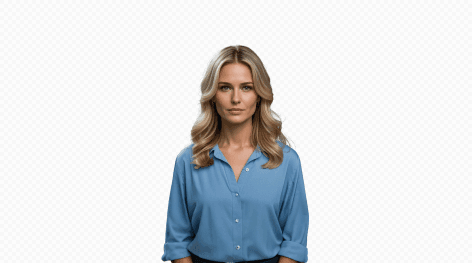
Continue training the deep learning model based on the provided video material to further improve the clarity and similarity of the generated faces. If the video material has good audio-visual synchronization, the model after continued training can generate lip movements with higher synchronization. If the audio and video are not synchronized or the sound quality is poor, please do not "Studio Avatar".
- Do not use videos with multiple faces appearing.
- Ensure the face is neither too large nor too small. The entire face should be within the screen area and not cropped out. It is recommended that the face width occupy between one-tenth and one-third of the overall frame width.
- Make sure facial features are not obscured, ensuring the clarity of facial features and contours.
- The recommended video resolution is 720P or 1080P, with a maximum resolution not exceeding 4K.
- The video duration should be no less than 3 seconds and no more than 5 minutes (3s–5min).
- For better lip-sync generation results, it is recommended to use videos of people speaking normally.The audio and lip movements in the video must be synchronized, and background noise or other sounds (except speech) should be avoided. Maintain a moderate speaking speed; speech that is too slow may reduce lip-sync accuracy, while speech that is too fast may cause lip-sync jitter.
Choose video or photo avatar training
Video mode uses a speaking performance and supports continued training for improved lip-sync quality. If you only have a clear portrait, photo mode provides a shorter setup path for creating a reusable avatar.
AI avatar from video FAQ
How long should an AI avatar training video be?
The current uploader accepts MP4 or MOV recordings from 3 seconds to 5 minutes. A clear 720p or 1080p recording is recommended.
What makes a good digital-twin recording?
Use one visible speaker, keep the complete face in frame, avoid obstructions and background noise, and make sure the audio matches the lip movements.
When should I create an avatar from a photo instead?
Choose photo mode when you have one clear portrait and want a faster setup. Choose video mode when you can provide a speaking performance for training.
Do I need permission to train an avatar?
Yes. Upload only recordings you own or are authorized to process, and obtain the subject’s consent for avatar creation and its intended use.