MakeFun Media Kit & Brand Assets
Hey creators! This page serves as a reference for you to better weave MakeFun into your storytelling. We sincerely appreciate your support and hope it provides a better understanding of MakeFun.
About MakeFun
MakeFun stands for “Avatars to Everyone”. Our mission is to democratize AI avatars. We are committed to providing the most economical, accessible, and flexible AI avatar solutions for professional video editors and developers.
Homepage: https://makefun.ai · Learning Center: https://makefun.ai/tutorial
Premium Lip-Sync Quality
One of the standout features of MakeFun.ai is the unparalleled clarity and accuracy of our AI avatars’ lip-sync performance – setting us apart from competitors. Our lip-sync technology delivers highly precise synchronization between voice and mouth movements, creating a natural and lifelike visual experience. You can see the difference for yourself in our demo videos here . Since our journey began in 2021 , we have accumulated 10 terabytes of data exclusively dedicated to training our lip-sync AI models. With four years of hands-on experience in optimizing lip-sync for different ethnicities, facial structures, and languages , we ensure that our avatars represent human diversity with precision and authenticity.
Production-Grade Image to Video
MakeFun.ai transforms static images into dynamic, cinematic-quality videos with precise motion control and character consistency. Our image-to-video engine understands structure, depth, and subject identity, allowing you to animate portraits, product shots, illustrations, and scenes while preserving visual fidelity.
You can guide the result using prompts, motion templates, or reference action videos, giving you fine-grained creative control without complex editing workflows. From subtle facial motion to full-scene animation, MakeFun helps you turn a single image into a complete visual narrative.
Built for both creators and developers, every image-to-video feature available on video.makefun.ai is fully accessible through our APIs — making it easy to integrate high-quality video generation directly into your own applications.
AI Image Editor Built for Creative Control
The MakeFun.ai Image Editor gives you powerful AI-assisted editing without the complexity of traditional design tools. You can modify, enhance, restyle, or transform images using simple prompts and visual guidance.
Most Affordable
Our per-minute costs are the lowest in the industry. As developers ourselves, we understand that your application might not attract many users on day one. That’s why you can start experimenting with our APIs for free. When you’re ready to release, you can freely choose between pay-by-usage (minutes) or server-based billing. Start small, and scale as your application becomes a success!
Accessible
We’ve developed video.makefun.ai as a sandbox for you to experience our APIs firsthand. Without writing a single line of code, you can explore how to select an avatar, hear the voice quality, and observe the smoothness of lip motion. Every feature available on video.makefun.ai is backed by our APIs , allowing you to gauge the effort required to build your own apps on top of MakeFun.ai.
Flexible
With MakeFun, you can create your own avatars and even integrate voices from other TTS vendors. We don’t charge for your creativity. Whether you’re building mobile apps, web apps, AI companions, AI education tools, video editing software, or interactive kiosks, we’re here to support your vision. To help you get started, we offer a range of copyright-free public avatars that you can use to bootstrap your development.
MakeFun Brand Colors
Orange is the primary color and carries every call to action. Blue is the secondary color; amber and cream are supporting tints. Please don’t recolor the logo outside this palette.
Primary · Orange
#FF6624
Buttons, links, highlights. Pair with black text on top.
Secondary · Blue
#355CF5
Accents and glows next to orange. Not for body text.
Support · Amber
#FF9B29
Gradients and tints only.
Support · Cream
#F2E7E1
Light backgrounds behind the dark logo.
Page background
#0B0907
The base of every MakeFun surface.
Surface
#171310
Cards and panels sitting on the page background.
Text
#F5F1EE
Body copy and headings on dark surfaces.
Muted text
#B0A8A2
Secondary copy, captions, labels.
MakeFun Logo
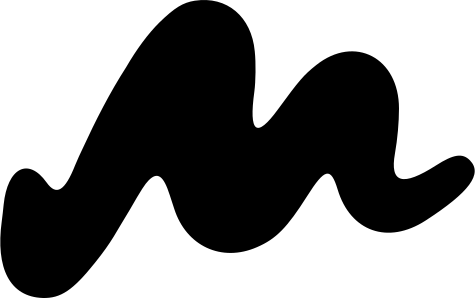
Use the orange mark whenever the background allows it. On photography or busy artwork, use the solid white or solid black mark instead. Keep clear space of at least half the mark’s height on every side, and never stretch, rotate, outline, or add effects to it.


App Icon & Avatar
Same mark on a square canvas, for profile pictures, app icons and favicons. The built-in padding is part of the file — please don’t crop it out.


Typefaces
Space Grotesk
Headings and the wordmark. Weights 500–700.
Inter
Body copy, UI labels and captions. Weights 400–600.