
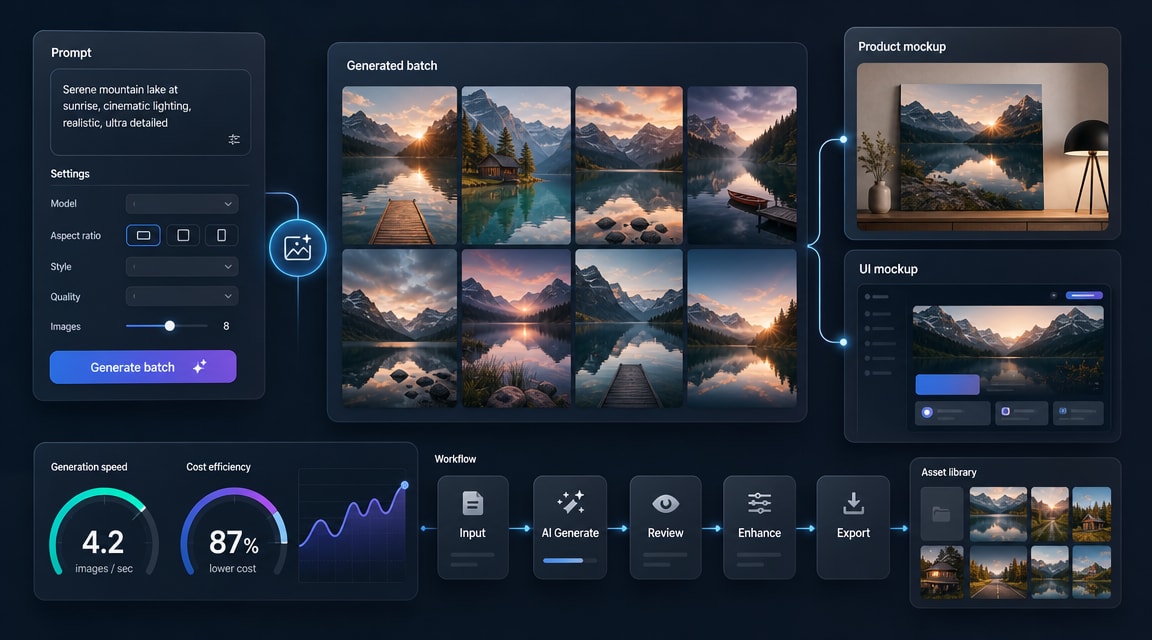
MAI-Image-2-Efficient AI image generator is Microsoft AI’s cost-optimized text-to-image model for production image workflows. Microsoft announced MAI-Image-2-Efficient on April 14, 2026, positioning it as a faster, lower-cost version of MAI-Image-2 for teams that need many product visuals, marketing variations, UI mockups, or branded assets.
Why MAI-Image-2-Efficient matters
The main SEO and workflow signal is not just another image model launch. Microsoft’s official release frames MAI-Image-2-Efficient around production throughput: 22% faster, four times more efficient, and priced nearly 41% lower than MAI-Image-2, with availability in Microsoft Foundry and MAI Playground. The model card also describes a diffusion-based text-to-image system trained for creative generation and design tasks, with 1024 x 1024 maximum output in the published card.
For Makefun readers comparing modern image tools, this puts MAI-Image-2-Efficient beside recent workflow topics such as GPT Image 2, Seedream 5.0 Lite, Luma Uni-1, and Nano Banana Pro. The strongest use case is high-volume iteration where speed and cost control matter more than a single showcase render.
Best-fit workflows
- Product image variations: generate multiple clean product concepts, backgrounds, and campaign angles from a consistent brief.
- Marketing creative drafts: test headline-and-visual combinations before handing a smaller set to a designer or higher-fidelity model.
- UI mockups and branded assets: explore interface scenes, app screenshots, and social layouts when short-form text and structure matter.
- Batch creative pipelines: pair text-to-image generation with review, selection, and optional image-to-video motion planning.
How to evaluate it against other AI image generators
A practical comparison should separate production efficiency from final-art quality. Microsoft positions MAI-Image-2-Efficient as the workhorse model, while MAI-Image-2 remains the precision option. That suggests a two-step workflow: use MAI-Image-2-Efficient for broad ideation and volume, then use a more specialized model or editing tool for final polish, typography-heavy compositions, or brand-critical assets.
Teams should test four factors before choosing any AI image generator: prompt faithfulness, readable short text, cost per accepted asset, and how easily approved still images can move into video, ad, or landing-page workflows. Adobe’s Firefly update points in the same direction, with creative platforms increasingly bundling many image and video models into one conversational studio rather than asking creators to pick a single model forever.
Limitations to keep in mind
MAI-Image-2-Efficient is still a text-to-image model, not a complete creative approval system. Microsoft’s model card notes responsible AI risks common to image generators, including harmful or unexpected outputs, public-figure depiction, and trademarked or protected material. For production use, keep human review, brand checks, and disclosure policies in the workflow.
Sources and further reading
- Microsoft AI announcement for MAI-Image-2-Efficient
- MAI-Image-2e model card
- Microsoft Foundry MAI deployment guide
- Adobe Firefly AI Assistant and all-in-one studio update
FAQ
What is MAI-Image-2-Efficient?
MAI-Image-2-Efficient is a Microsoft AI text-to-image model based on MAI-Image-2. It is designed for faster, lower-cost generation in production workflows such as product shots, marketing creatives, UI mockups, and branded assets.
Is it better than GPT Image 2 or Nano Banana Pro?
It depends on the job. MAI-Image-2-Efficient is positioned around speed, scale, and cost. GPT Image 2, Nano Banana Pro, Seedream, or Luma may be better choices when a workflow needs different editing behavior, multimodal references, or final-art precision.
Can generated images be used in video workflows?
Yes, still images from a text-to-image workflow can become source frames for image-to-video planning, but teams should review rights, brand safety, and visual consistency before using generated assets in public campaigns.


