
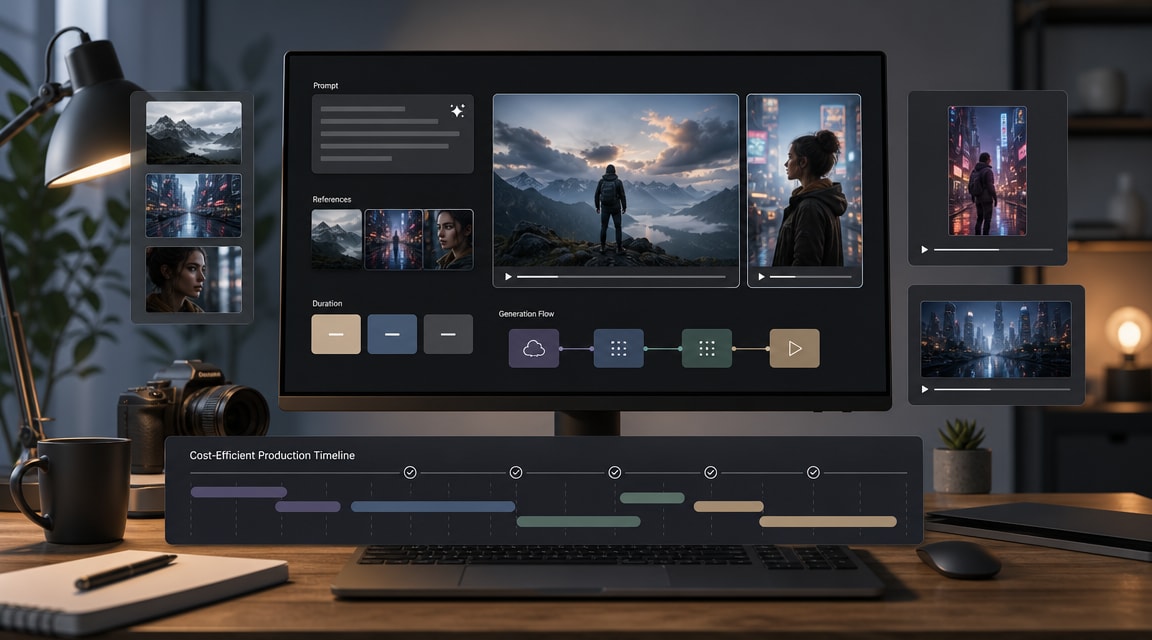
Google Vids is becoming a more practical AI video generator for everyday creator and workplace clips because Google is moving Veo 3.1 video generation, Lyria 3 music, avatar controls, and YouTube export into the same editing workflow. For Makefun users, the useful question is not whether Google Vids replaces a full production stack. It is where it fits before, after, or alongside dedicated image-to-video, avatar, and campaign video workflows.
What changed in Google Vids
The April 2026 Vids update adds several creator-facing pieces in one product surface: Veo 3.1 for short generated video clips, Lyria 3 for music creation, more directable avatar controls, and a simpler path from idea to finished work video. The strongest search angle is workflow clarity: teams want to know when Vids is enough for an internal explainer and when they still need a more specialized AI video or avatar pipeline.
- Veo 3.1 clips: best for quick scenes, campaign rough cuts, social drafts, and visual placeholders.
- Custom avatars: useful for training, onboarding, status updates, and presenter-style videos when a real shoot is too slow.
- Lyria music: helpful when a lightweight soundtrack is needed inside the same editing flow.
- Workspace context: relevant for teams that already plan scripts, approvals, and assets in Google apps.
Where it fits in a Makefun-style workflow
Google Vids looks strongest as a planning and assembly layer. A creator can outline a training video, generate a few Veo 3.1 scenes, test an avatar narration, and package the result for review. When the project needs stronger model choice, image-to-video control, head swap, reusable avatar assets, or API-driven production, a dedicated workflow still matters.
For adjacent workflows, compare it with Makefun’s image-to-video AI tool, the AI video generator guide, and the broader agentic video generator category. Avatar-heavy use cases should also be checked against Makefun’s AI avatar generator guide and newer avatar model coverage such as HeyGen Avatar V.
Cost and pricing comparison
Pricing is the part creators should check before building a repeatable workflow. Google’s own Vids update says personal Google accounts get a limited free monthly generation allowance, while Google AI Ultra and Workspace AI Ultra accounts get a much larger monthly Veo generation allowance. Google separately announced AI subscription updates in May 2026, including a reduced top-tier AI Ultra price and a new lower Ultra tier, so buyers should confirm the exact plan shown in their account region before planning production volume.
| Workflow | Best fit | Cost drivers to watch |
|---|---|---|
| Google Vids with Veo 3.1 | Workspace explainers, quick social drafts, internal updates, and simple avatar-led clips | Monthly generation allowance, account tier, regional plan availability, export needs, music/avatar access, and whether quotas reset monthly or move to credit-style limits |
| HeyGen Avatar V / API | Avatar-first presenter videos, localized sales content, and API-driven avatar output | Per-second or per-minute output billing, premium avatar engines, subscription credits, API plan separation, translation, and higher-resolution output |
| Makefun / MakeFun-style production flow | Model choice, image-to-video, avatar assets, API workflows, and repeatable creator pipelines | Media-generation fees, selected model, duration, retry volume, permanent storage, API usage, and whether generated assets need post-processing |
The practical takeaway is simple: Google Vids can be cheaper for occasional Workspace clips if the included allowance covers the job. Avatar platforms can be more predictable when the deliverable is presenter video at known length. API or production pipelines are usually better when teams need model routing, bulk generation, asset reuse, or automated publishing.
Competitor observations
Google’s advantage is distribution: Vids sits close to Workspace, Gemini, YouTube export, and Google’s video models. HeyGen’s advantage is avatar specialization, especially when a video is built around a persistent presenter. Makefun’s adjacent opportunity is to explain how creators should choose between lightweight Workspace video assembly, avatar-first SaaS workflows, and flexible AI media pipelines.
Should creators use it?
Use Google Vids when the goal is a fast explainer, an internal video, a simple campaign draft, or a low-friction test of Veo 3.1 and avatars. Use a dedicated image-to-video or avatar workflow when quality control, model choice, reusable characters, commercial approvals, or API automation matter more than convenience.
FAQ
Is Google Vids the same as Veo 3.1?
No. Veo 3.1 is the video-generation model. Google Vids is the editing and creation product that can use Veo-generated clips inside a broader video workflow.
Is Google Vids a replacement for avatar video tools?
Not always. It is useful for lightweight avatar-led workplace videos, but avatar-first products and API workflows can still be better for persistent presenters, localization, and predictable production at scale.
What should creators test first?
Start with one short script, one avatar draft, and one Veo 3.1 clip. Compare the result against the same prompt in a dedicated video workflow, then choose based on quality, edit time, quota usage, and export requirements.


