
Adobe MotionStream is a useful signal for anyone planning AI video workflows in 2026: the next competition is not only higher resolution or longer clips, but how much control a creator gets while a video is still being generated. Adobe Research previewed MotionStream in April 2026 as an experimental system for real-time interaction with AI-generated video, including object motion, camera changes, and immediate visual feedback.
For Makefun users, the practical question is simple: when should you keep using prompt-to-video tools, and when should you plan around more controllable video editing workflows? MotionStream is not a public production product yet, but it points to the direction that creator teams should watch.
What Adobe MotionStream Adds to AI Video
Most AI video tools still follow a delayed loop: write a prompt, wait for a clip, review the output, then regenerate if the camera, motion, or object behavior is wrong. Adobe Research describes MotionStream as a shift toward interaction during generation. The system starts from a prompt, then lets creators guide object trajectories, camera movement, and scene behavior while the result unfolds.
That matters because text prompts are weak at specifying motion. A director can say “move the product toward camera,” but the exact path, timing, secondary motion, and camera relationship are hard to describe in one sentence. MotionStream’s research direction treats video generation more like a controllable creative surface than a black-box render queue.
Why This Matters for Creator Workflows
AI video has become easier to start, but still expensive to finish. The hidden work is often in revision: fixing a hand movement, changing a camera angle, keeping a product stable, or making a shot match the previous scene. Those problems affect short ads, product demos, avatar explainers, and social clips.
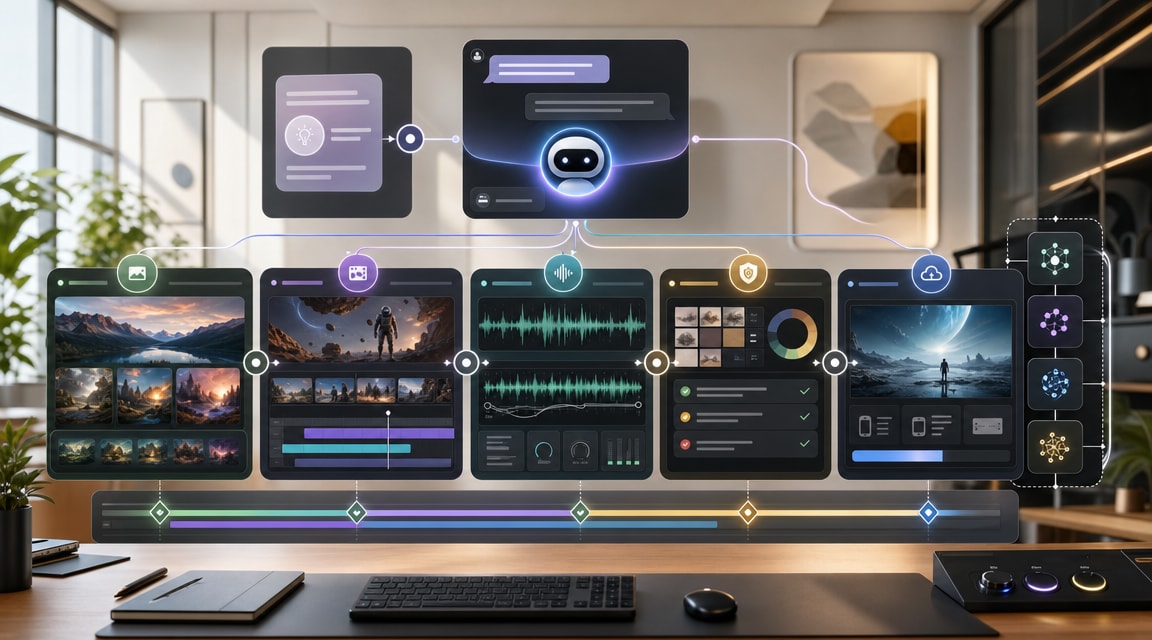
A Makefun-style workflow should separate three jobs:
- Fast ideation: use image-to-video or text-to-video generation to explore shots quickly.
- Controlled revision: use editor-style controls when motion, framing, or continuity is the bottleneck.
- Production assembly: combine the best clips with voice, avatar, subtitles, music, and final exports.
MotionStream fits the second job. It does not replace a full AI video pipeline, but it shows why controllability may become more important than raw generation quality for professional creators.
MotionStream vs Prompt-Only AI Video
Prompt-only generation works best when the exact motion is flexible. It is strong for mood clips, b-roll, concept scenes, and quick experiments. It is weaker when a video needs strict direction: a product must move along a precise path, a camera must reveal a feature at the right time, or an object must remain stable across an edit.
MotionStream’s value is the feedback loop. Instead of discarding a clip after one wrong movement, the creator can intervene earlier. If this pattern reaches commercial tools, it could reduce wasted generations and make AI video more useful for ads, explainers, tutorials, and product storytelling.
Cost and Pricing Comparison
MotionStream itself is an Adobe Research preview, so there is no standalone public price for MotionStream. The cost comparison still matters because the likely production path would sit near Adobe Firefly, Creative Cloud, and competing video platforms.
Adobe’s current Firefly pricing page lists Firefly Pro at US$19.99 per month with 4,000 monthly generative credits, and Firefly Premium at US$199.99 per month with 50,000 monthly credits plus broader video access. Adobe’s generative credit FAQ also says premium video generation can consume credits per second, so failed iterations can become the real cost driver.
Runway is the closest same-use comparison for controllable creative video. Runway’s Gen-4 documentation states that Gen-4 video uses credits per second, and plan limits can affect how much fast experimentation a team can do before waiting, downgrading quality, or buying more capacity. For creators, the comparison is not simply monthly price. The hidden drivers are seconds generated, model tier, output resolution, queue priority, retry volume, rejected generations, team seats, and whether “unlimited” modes apply to the exact model being used.
For Makefun planning, the practical rule is: use low-cost generation for exploration, then reserve controllable or premium workflows for shots where precision prevents repeated retries. A cheaper model can become expensive if it takes ten attempts to fix motion that an interactive editor could adjust directly.
How Makefun Users Should Think About It
MotionStream is not something to rebuild a production pipeline around today. It is a signal to track. The near-term workflow is to use Makefun for fast creative starts, then evaluate whether a shot needs more controllable editing, agentic planning, or API-style production orchestration before final export.
The best fit is a short video pipeline where creators can test many visual ideas, keep the winning direction, and then spend premium control only on the shots that affect conversion or brand quality.
What to Watch Next
Three signals will decide whether MotionStream-like workflows become mainstream. First, the interaction needs to be fast enough for real creative direction, not just a demo. Second, the system needs to preserve identity, lighting, and composition after edits. Third, pricing must reward iteration rather than punish it, because real video work depends on trying variations.
If Adobe moves MotionStream concepts into Firefly or Premiere workflows, it could make AI video feel less like prompt gambling and more like directing a scene. That is the real SEO and product takeaway: the future keyword is not only “AI video generator.” It is “controllable AI video workflow.”
FAQ
Is Adobe MotionStream available as a public product?
Adobe describes MotionStream as experimental research, not a standalone commercial product. Creators should treat it as a preview of future AI video controls.
How is MotionStream different from normal text-to-video generation?
Normal text-to-video tools usually generate a complete clip after a prompt. MotionStream focuses on real-time controls during generation, such as moving objects or changing camera direction while the video is forming.
Does MotionStream replace Makefun or other AI video tools?
No. It is better understood as a control layer pattern. Makefun-style workflows still need generation, avatar, audio, editing, storage, and publishing steps around the controllable shot.


