
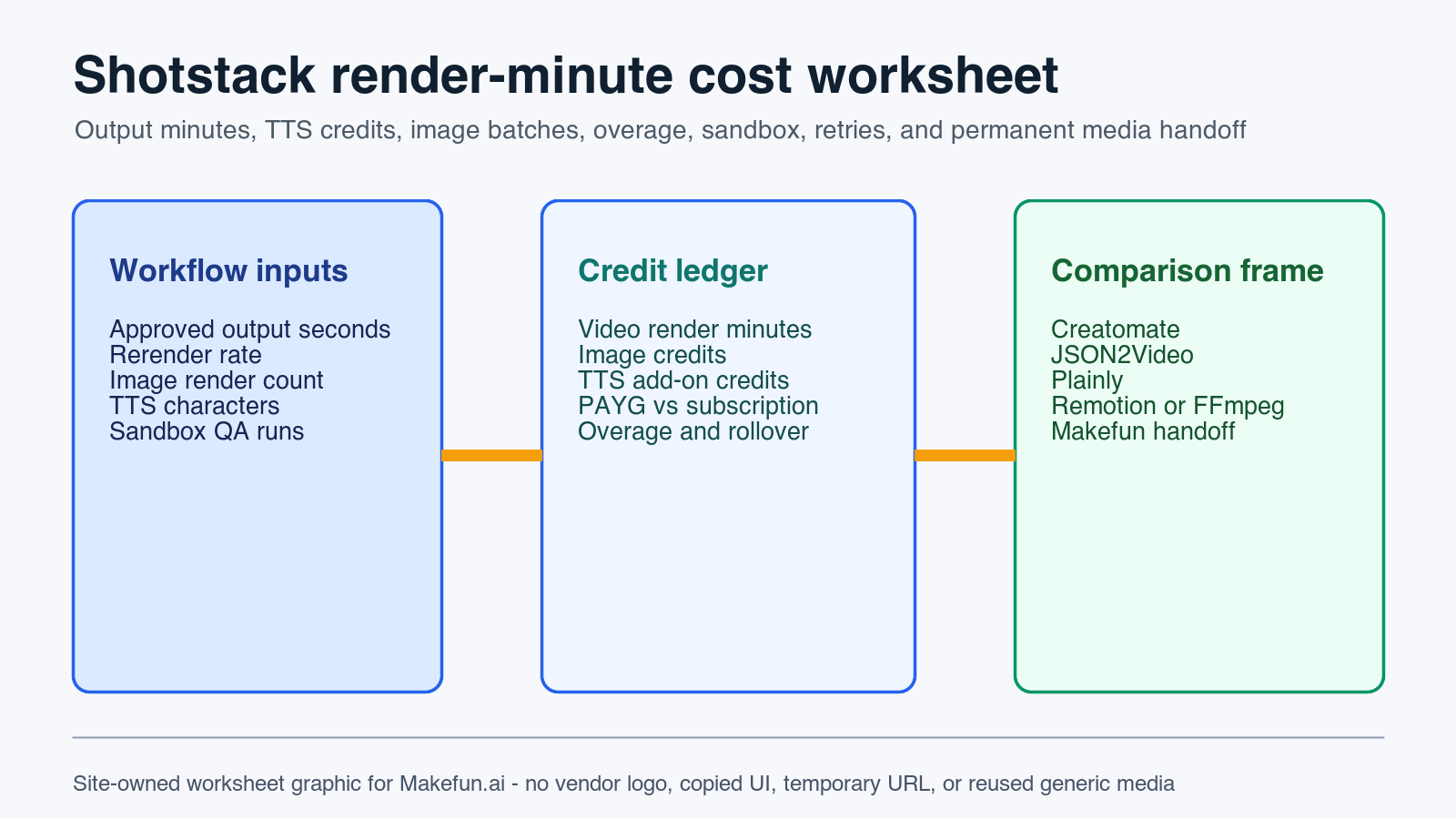
Shotstack cost planning starts with rendered output minutes, not source footage length or API calls alone. For Makefun-style media automation, estimate output seconds, rerenders, image batches, TTS characters, sandbox testing, overage, rollover, queue/retry behavior, and permanent media handoff before comparing Shotstack with template renderers, self-hosted render workers, orchestration tools, or a Makefun-managed workflow.
Shotstack pricing source snapshot
Publication-time checks on 2026-06-06 confirmed the current Shotstack pricing page, Billing FAQ, credit-consumption help, limitations docs, API reference, and webhook docs were reachable. The hosting/storage doc path in the brief returned 404 during Publisher refresh, so this post does not rely on that page for claims.
- Shotstack Pricing: use this as the current source for pay-as-you-go and subscription minute-rate planning, included credit packs, and overage/rollover language.
- Shotstack Billing FAQs: use this for credit rollover, expiry, overage behavior, one-credit-per-minute framing, and TTS add-on caveats.
- Understanding Shotstack Credit Consumption: use this for video render, image, and generated-video credit rows.
- Shotstack Limitations: use this for sandbox limits, production request limits, file-size caps, and render-time expectations.
- Shotstack API Reference and Shotstack Webhooks: use these for render job, status, callback, polling, and retry workflow rows.
Render-minute and credit calculator
Start with the approved output, not the raw footage library. A 45-second support clip, a 15-second product variant, and a one-minute localized explainer should be normalized into total output seconds, then adjusted for rerenders and failed job retries.
| Worksheet row | What to enter | Why it matters |
|---|---|---|
| Output video minutes | Approved clips x average output seconds / 60, plus rerenders | Shotstack render planning is minute-led; source-footage length can mislead the budget. |
| Image credits | Monthly rendered images, thumbnails, and still variants | Image batches use a different credit conversion than full video renders. |
| TTS add-ons | Monthly characters, languages, and retry allowance | The Billing FAQ treats TTS as an add-on credit row, so keep it separate from render minutes. |
| Generated-video add-ons | AI-assisted generation runs, if any | Generated-video work should not be hidden inside the base render-minute number. |
| PAYG vs subscription | Current official rate, included credits, expected overage, rollover, and expiry | PAYG top-up stops, subscription overage, rollover, and seasonal bursts change effective cost. |
| Operations | Sandbox tests, request rate, file sizes, webhooks, polling, retries, storage, and QA | Makefun publication cost includes reliable handoff, not only vendor credits. |
Sandbox, production, and retry workflow
Model sandbox QA separately from production. Sandbox watermarks, duration limits, request limits, and monthly usage caps can change whether a team tests every variant or only representative templates. In production, add request-rate ceilings, webhook callbacks or polling status checks, failed-render retries, render-time queue assumptions, source/output file-size caps, and the handoff owner for permanent media storage.
For Makefun publishing, temporary generated URLs are not enough. The finished asset should be compressed if needed, uploaded to permanent WordPress or R2 storage, assigned descriptive alt text, and verified after cache and sitemap checks.
Makefun workflow scenarios
- Social variant factory: model 800 short product or avatar clips per month, each 20 to 45 seconds, with rerenders and permanent WordPress/R2 handoff.
- Localized support clips: model 300 one-minute clips with TTS, captions, webhook callbacks, human review, and retry budget.
- Image thumbnail batch: model 5,000 stills or thumbnails with image-credit assumptions instead of full video-minute math.
- Seasonal campaign burst: model low baseline usage plus one launch month of overage, rollover exposure, and sandbox QA before publish.
Same-use comparison matrix
Do not compare providers by headline price alone. Normalize every option to the same approved output minutes, add-on credits, storage, concurrency, retention, failed jobs, and permanent Makefun media handoff.
| Option | Normalize by | Use it when |
|---|---|---|
| Shotstack | Output minutes, image credits, TTS add-ons, generated-video rows, overage, rollover, sandbox, API limits, webhooks, and file sizes | You want API-driven rendering for existing media, templates, captions, and voiceover workflows. |
| Creatomate, JSON2Video, or Plainly | Template rows, render minutes or credits, storage, retention, concurrency, webhooks, and rerenders | The workflow is template-led and the team wants managed rendering rather than self-hosted workers. |
| Remotion or FFmpeg workers | Compute time, queue workers, storage, bandwidth, monitoring, failed jobs, and engineering maintenance | Your engineering team needs control and accepts infrastructure ownership. |
| Canva, Zapier, or Make automation | Seats, operations, external render-tool cost, manual exports, retries, and QA | The team is orchestrating creative production, not buying a pure render API. |
| Makefun managed workflow | Approved assets, review cycles, render assembly, compression, upload, alt text, cache checks, and publication QA | You need a finished publication asset rather than another standalone tool account. |
Decision guide
Use Shotstack when existing Makefun media needs repeatable rendering, status callbacks, and deterministic output-minute planning. Consider self-hosted render workers when engineering control matters more than vendor simplicity. Use a managed Makefun handoff when the business outcome is a live, verified article or campaign asset with durable media, not just a rendered file.
For related Makefun workflows, see the Makefun AI Video API and Makefun AI Avatar API pages.
FAQ
How should I estimate Shotstack cost for short videos?
Use output seconds, not source clip length. Sum approved output seconds, apply rerenders, divide by 60 for video render credits, then add image, TTS, generated-video, storage, bandwidth, and retry rows.
Does Shotstack TTS cost extra?
Yes. The current Billing FAQ lists TTS as an add-on credit charge on top of video render credits, so the worksheet keeps it in a separate row.
What is the main PAYG versus subscription tradeoff?
PAYG is simpler for irregular batches but can stop when credits run out. Subscription pricing has lower listed per-minute rates, rollover rules, and overage behavior that must be modeled for recurring Makefun production.
Why compare Shotstack with Creatomate, JSON2Video, Plainly, and self-hosted renderers?
They expose different units: render credits, output minutes, template rows, storage, retention, concurrency, infrastructure time, and handoff labor. Same-unit rows prevent unsupported cheapest or best claims.


