
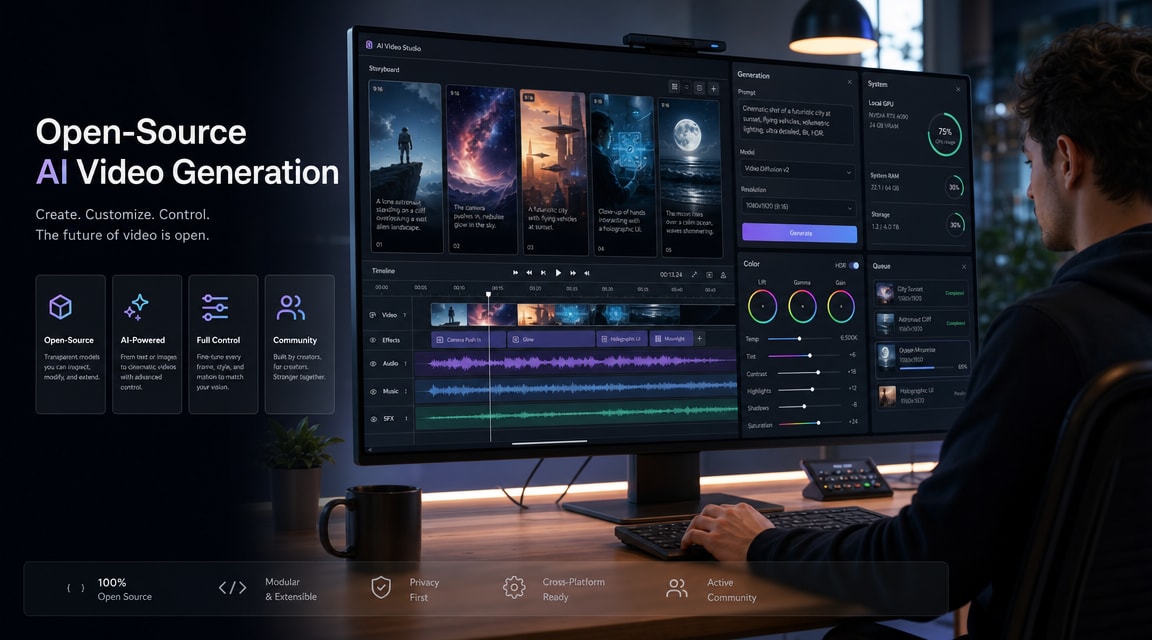
LTX 2.3 AI video generator is a useful topic to watch because it connects three search intents that are growing at the same time: open-source AI video, audio-led video generation, and vertical video production for social clips. For Makefun users, the practical question is not whether one model replaces every other tool. It is where LTX 2.3 fits when a creator needs fast planning, local review, and clean handoff into an all-in-one AI video workflow.
What Changed With LTX 2.3
The official LTX 2.3 model page positions the release around sharper detail, cleaner audio, stronger motion, native portrait output, and better prompt adherence. The same page highlights text-to-video, image-to-video, and audio-to-video workflows, which makes the model relevant beyond a simple prompt box.
The important SEO angle is the vertical workflow. LTX says 2.3 supports native portrait generation up to 1080×1920, rather than only cropping a landscape generation after the fact. That matters for creators planning TikTok, Reels, Shorts, mobile ads, and product explainers where the frame is vertical from the first storyboard decision.
Why It Matters For AI Video Workflows
LTX’s newsroom post frames LTX 2.3 around local inference, open weights, and production economics. That gives the topic a different search shape from purely hosted products such as Runway, Kling, Veo, or Seedance. Users searching for LTX 2.3 are often evaluating whether they can prototype or review video locally before moving a final concept into a broader publishing stack.
For Makefun, that is a natural internal-link bridge. A creator may start with model research, then move into Makefun pages such as image to video, AI music video generator from audio, or the broader AI video generator trends guide when they need hosted generation, model comparison, or a more complete production workflow.
Best-Fit Use Cases
- Portrait concept tests: plan mobile-first shots where the subject, captions, product, and motion path need to fit 9:16 from the start.
- Audio-led video drafts: sketch clips where voice, music, or sound effects should guide pacing before a creator commits to a final render path.
- Local review loops: test prompts, references, and rough timing in a controlled environment before uploading sensitive creative material to a hosted tool.
- HDR or finishing exploration: evaluate whether a clip concept needs color-grading latitude before final export or republishing.
How To Plan An LTX 2.3 Prompt
The model’s feature set rewards prompts that describe production intent, not only a scene. A strong prompt should include the output frame, the subject, the movement, the audio cue, and the review purpose. For example, a product teaser prompt can specify portrait framing, a slow camera move, timing around a beat, and a clean background for future captions.
The official LTX documentation is also useful because it separates model access and workflow features such as first-to-last frame control, audio-to-video, retake, and extend. That lets creators decide whether the current job is a text-to-video draft, an image-to-video animation, or a longer editorial sequence that needs scene continuity.
Where Makefun Fits
Makefun’s value is the all-in-one planning layer after model discovery. LTX 2.3 can be part of the research and prototyping stage, while Makefun helps users compare adjacent AI video approaches, turn still assets into motion, and keep audio, image, and video generation in one creator workflow. That is especially useful when a project moves from an experiment into repeatable production.
For teams, the practical workflow is: define the vertical shot, test the motion and audio intent, decide whether local or hosted generation is the right next step, then use Makefun’s adjacent AI video pages to choose the model and workflow that best matches the final output channel.
Quick FAQ
Is LTX 2.3 only for developers?
No. It is especially interesting to developers and local-generation users, but the search intent also includes creators comparing portrait video, audio-to-video, and open-source AI video options.
Does LTX 2.3 replace hosted AI video tools?
Not necessarily. It is better understood as another production option. Hosted tools can still be easier for final exports, collaboration, and model switching, while LTX 2.3 is attractive for local review and open-model experimentation.
What should Makefun users test first?
Start with a 9:16 image-to-video or audio-led concept. Those tests match the strongest LTX 2.3 positioning and connect naturally to Makefun’s existing image-to-video and audio-to-video workflow pages.


