
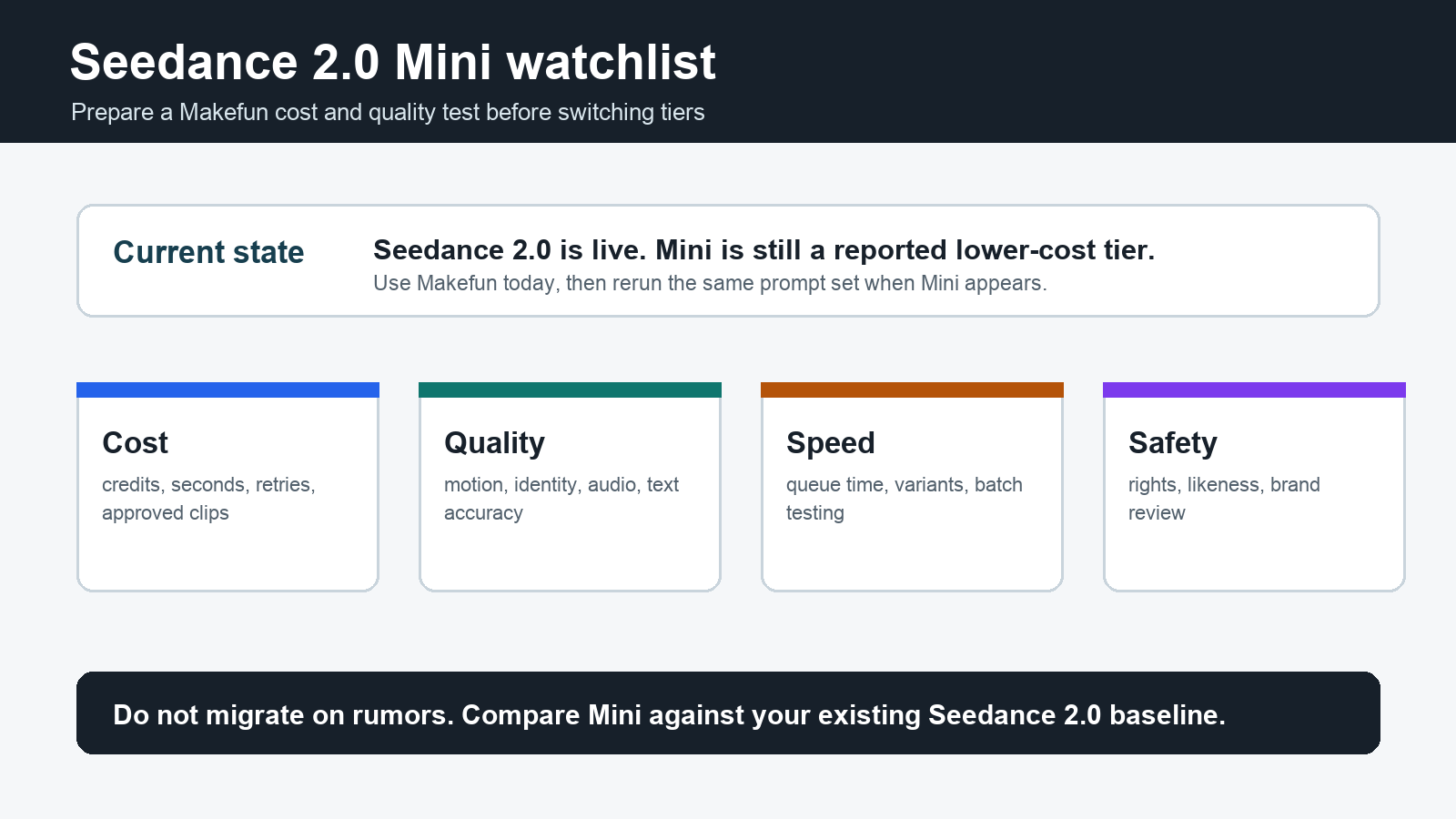
Seedance 2.0 Mini is the model name creators are watching because it points to a practical question: can a lower-cost Seedance tier make high-volume AI video testing affordable without giving up the motion quality that made Seedance 2.0 interesting? As of June 16, 2026, ByteDance has not published an official Seedance 2.0 Mini model card, release note, system card, or public pricing page. Treat Mini as a pre-announcement watch item, not as a confirmed production model.
For Makefun users, the useful starting point is not a rumor page. Start with the current Makefun Seedance video app and the Seedance 2.0 guide. Build a baseline prompt set now, then rerun the same assets if Seedance 2.0 Mini appears in Makefun or another official workflow.
What is confirmed now?
ByteDance’s official Seedance 2.0 page describes a unified multimodal audio-video generation architecture that supports text, image, audio, and video inputs. It also positions Seedance 2.0 around motion stability, audio-video joint generation, and director-level control over performance, lighting, shadow, and camera movement. That is the confirmed baseline.
The Mini-specific claims are different. WaveSpeedAI reported that Seedance 2.0 Mini is a lighter variant expected to come in below current Seedance pricing while outperforming Seedance 2.0 Fast, but the same report clearly says ByteDance has not publicly confirmed the Mini release. This article treats those claims as reported signals and turns them into a Makefun evaluation checklist.
| Question | Status on June 16, 2026 | What Makefun users should do |
|---|---|---|
| Is Seedance 2.0 live? | Yes. ByteDance has an official Seedance 2.0 page and Makefun has a Seedance app workflow. | Use the current Makefun Seedance workflow as your baseline. |
| Is Seedance 2.0 Mini officially launched? | No public ByteDance model card or release note was found during this check. | Do not claim Mini availability until Makefun or ByteDance exposes it clearly. |
| What is the Mini promise? | Third-party reporting frames Mini as a lower-cost tier that may compete with or beat Seedance 2.0 Fast. | Compare it against Fast and your own approved-clip rate, not against marketing language. |
| Should teams migrate immediately? | No. The migration case depends on confirmed pricing, output quality, speed, and policy terms. | Prepare a repeatable test set now and wait for verified access. |
Why Seedance 2.0 Mini matters
Mini matters because AI video cost is rarely about one final clip. Teams burn budget on prompt exploration, rejected generations, scene variants, audio mismatches, style tests, subtitle cleanup, and approval rounds. A cheaper tier can change the economics of upstream work even if premium final outputs still use a higher-quality model.
- Prompt testing: cheaper variants let creators test more camera moves, styles, products, and hooks before selecting a final direction.
- Social video volume: short-form teams often need many acceptable clips, not one perfect cinematic render.
- Internal evaluation: QA teams can generate reference clips more often when each test costs less.
- Makefun workflow loops: lower-cost drafts can feed image-to-video, lip-sync, watermark cleanup, and upscaling workflows without making every experiment expensive.
Makefun evaluation checklist
Before switching to any Mini tier, build a simple evaluation set inside Makefun. Use the same source images, prompts, aspect ratios, durations, and approval rubric across Seedance 2.0, any Fast mode you use, and Mini if it becomes available.
| Test row | What to compare | Pass condition |
|---|---|---|
| Cost per approved clip | Credits, seconds, failed generations, rejected clips, and review time. | Mini lowers total cost without increasing rejection rate enough to erase savings. |
| Motion stability | Camera moves, fast action, hands, fabric, product edges, and background movement. | Motion is at least good enough for the intended channel. |
| Character and product consistency | Face, outfit, object shape, packaging, logos, and scene continuity. | Identity drift stays within your brand or campaign tolerance. |
| Audio and timing | Native audio, lip timing, sound effects, music feel, and caption replacement needs. | Audio does not add more cleanup than it saves. |
| Workflow fit | How the output moves into image-to-video, talking video lip-sync, watermark remover, and AI video API workflows. | The output is easy to review, edit, localize, and publish. |
A simple test plan
- Create five text-to-video prompts for ads, explainers, product demos, social hooks, and cinematic B-roll.
- Create five image-to-video tests using owned product or brand-safe assets.
- Run the same prompts through your current Makefun Seedance workflow and save the results as a baseline.
- When Mini is officially available, rerun the same set without changing the prompt wording.
- Score every output by approved-clip rate, cost, motion quality, identity stability, audio usefulness, editability, and review time.
What not to assume
- Do not assume Mini will be available in every Seedance 2.0 endpoint or app on day one.
- Do not assume lower price means lower total workflow cost; rejection rate and review labor can erase savings.
- Do not assume reported performance claims apply to your exact prompts, assets, or safety constraints.
- Do not upload confidential brand or client material into unofficial Mini pages that cannot prove access, terms, and data handling.
FAQ
Is Seedance 2.0 Mini available in Makefun now?
This check found the current Makefun Seedance app and Seedance 2.0 page, but no official Mini-specific Makefun page. Use the current Seedance workflow today and treat Mini as a launch watch item until availability is explicit.
Should I wait for Seedance 2.0 Mini?
No if you need production output now. Build your baseline in the current Makefun Seedance workflow. If Mini launches with verified pricing and quality, compare it against your saved prompts before moving volume over.
What should Mini be compared against?
Compare it against Seedance 2.0 Fast or your current lowest-cost acceptable workflow, not only against the highest-quality Seedance output. The value question is whether Mini lowers cost per approved clip.
Where should Makefun users start?
Start with the Makefun Seedance video app, save a baseline test set, and use that same set to evaluate Mini if it becomes available.


