
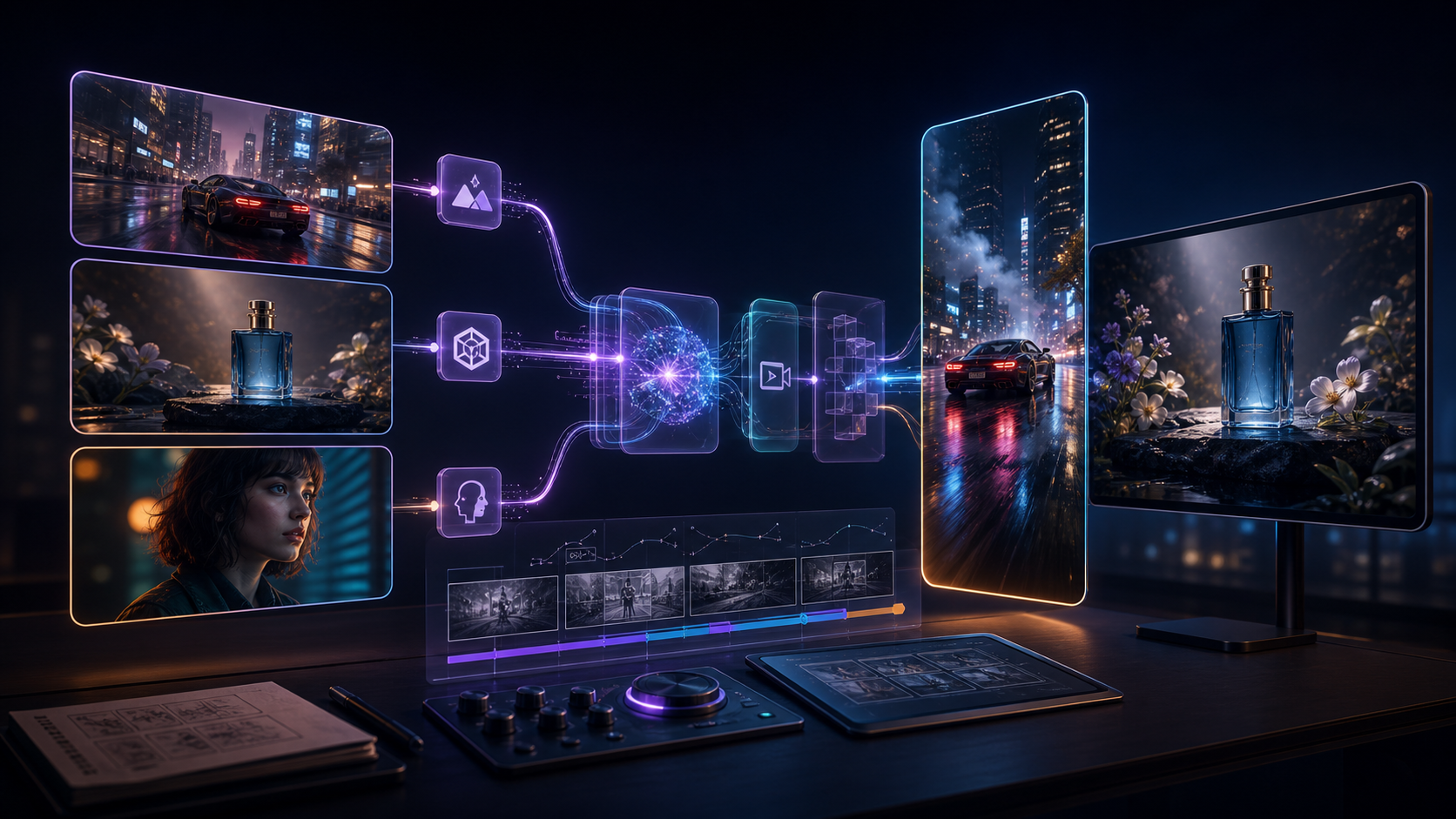
Seedance 2.5 demo videos are now visible on BytePlus ModelArk’s Seedance 2.5 promotion page, and they make the upgrade easier to understand than a spec sheet alone. The page shows 30-second narrative clips, multimodal reference generation, video editing examples, and user-case samples built from Seedance and Seedream series models.
For Makefun creators, the practical takeaway is simple: Seedance 2.5 is not just another short text-to-video model. The demo material points toward longer video planning, reference-heavy generation, and reusable prompt systems. This guide breaks down what the official BytePlus page shows and how to recreate a similar workflow with Makefun Seedance Video, image-to-video, and AI video post-production tools.
What the BytePlus Seedance 2.5 Page Shows
The BytePlus ModelArk page presents Seedance 2.5 as a multimodal video model for longer clips, reference-driven production, video extension, and video editing. Its model detail data lists text, image, video, and audio as supported input types, video as the output type, 4-30 second duration, 24fps output, and support for multimodal video production, video extension, and video editing.
The page also includes a source note saying the page materials are generated by Seedream and Seedance series models. That matters for evaluation: these are first-party promotional examples, so they are useful for understanding the intended workflow, but teams should still test their own products, characters, and campaign assets before assuming the same quality on every prompt.
Official Demo: 30-Second Cinematic Sequence
This example is useful because it is built like a short film rather than a single motion shot. The prompt describes a 30-second 3D motion graphics sequence with scene timing, camera movement, material style, and repeated visual motifs. For Makefun users, that is the prompt pattern to copy: write in beats, describe camera transitions, and keep a clear visual anchor across the full sequence.
Official Demo: Reference-Heavy Generation
The reference-generation section is the most important workflow signal. Instead of one prompt plus one image, the page shows a model experience built around many source materials. That is where Seedance 2.5 becomes interesting for product videos, brand films, creator ads, and storyboard-driven scenes.
How to Recreate This Workflow in Makefun
You do not need to wait for a perfect production stack to start preparing. Use Makefun to build the same structure now: one clear prompt, organized reference assets, a short baseline test, and a review checklist before you scale into longer clips.
| Seedance 2.5 demo pattern | What it means | Makefun workflow |
|---|---|---|
| 30-second narrative clip | The prompt needs timing, scene beats, camera movement, and a repeatable subject. | Draft the storyboard first, then test a shorter clip in Makefun Seedance Video. |
| Multiple reference inputs | Assets should have roles: character, product, style, motion, audio, or edit target. | Organize source images and clips before using image-to-video. |
| Video editing examples | The model is positioned for targeted revision, not only full regeneration. | Review the generated clip, then decide whether to edit, extend, regenerate, remove subtitles, or clean artifacts. |
| User-case gallery | The same model can support ads, film-style shots, animation, game visuals, and post effects. | Choose the use case first so the prompt and review rubric are not generic. |
Prompt Structure to Borrow From the Demos
The strongest Seedance 2.5 examples use a production prompt, not a caption. A practical Makefun prompt should include six parts:
- Format: ad, product demo, cinematic B-roll, social hook, game scene, or brand film.
- Duration plan: split the clip into 3 to 5 time blocks instead of one long paragraph.
- Visual anchor: a product, character, object, logo-free motif, or environment that stays consistent.
- Camera language: push-in, orbit, match cut, tracking shot, macro close-up, slow motion, or handheld movement.
- Reference roles: tell the model which asset controls style, which controls subject, and which controls motion.
- Review target: define what must stay stable: face, product shape, packaging, fabric, scene continuity, audio timing, or call-to-action clarity.
Example Makefun Prompt
Create a 30-second cinematic product video for a futuristic travel bottle. Keep the bottle centered as the visual anchor. 0-8s: macro close-up with water droplets and soft morning light. 8-16s: match cut to the bottle on a desk as city reflections move across the surface. 16-24s: smooth tracking shot through a gym bag, with the bottle staying sharp while the background has motion blur. 24-30s: hero shot on a clean white surface with gentle rotating light. Premium commercial style, realistic reflections, stable product shape, no extra text, no watermark.
Use that prompt style in Makefun, then adjust the reference assets depending on the channel. A product ad needs brand-safe product images. A creator video needs a consistent character reference. A cinematic test needs mood boards, motion references, and a stronger camera plan.
Where Seedance 2.5 Fits in a Makefun Stack
- Concept testing: use short Makefun generations to find the best visual direction before spending time on a longer clip.
- Image-to-video: turn owned product images, character stills, or storyboard frames into motion tests.
- AI video ads: use AI video ad generator workflows when the output needs a hook, product reveal, and social-ready format.
- API planning: use AI video API planning only after official model access, pricing, queue, and usage limits are clear.
- Cleanup: use watermark remover or subtitle remover only on videos you own or have the right to edit.
Seedance 2.5 Demo Takeaways
The official BytePlus examples suggest three SEO-relevant and creator-relevant shifts. First, longer clips make story structure more important. Second, multimodal references make asset organization more important. Third, editing support makes review loops more important than one-shot prompting.
If you are using Makefun today, the best move is to prepare a repeatable prompt and asset set. Test the same idea across current video tools, save your outputs, and compare Seedance 2.5 against your own baseline once access is stable. The demos are impressive, but the business question is still cost per approved clip, not cost per generation.
FAQ
Where are these Seedance 2.5 demo videos from?
The embedded videos are from BytePlus ModelArk’s Seedance 2.5 promotion page assets. The page source note says the materials are generated by Seedream and Seedance series models.
Can I recreate the same result in Makefun?
You can recreate the workflow pattern in Makefun: organize references, write a timed prompt, run short tests, then produce or edit a longer clip when the model and access path are available. Exact demo replication depends on the model, settings, source assets, and rollout availability.
What is the main difference from short AI video prompts?
Seedance 2.5-style prompting needs time blocks, camera direction, reference roles, and review criteria. A one-sentence prompt is usually too weak for a 30-second production-style clip.
Should I use official demo videos as commercial assets?
No. Treat the embedded examples as reference material for understanding the model page. For commercial work, generate or upload assets you own and follow the terms of the platform you use.


