
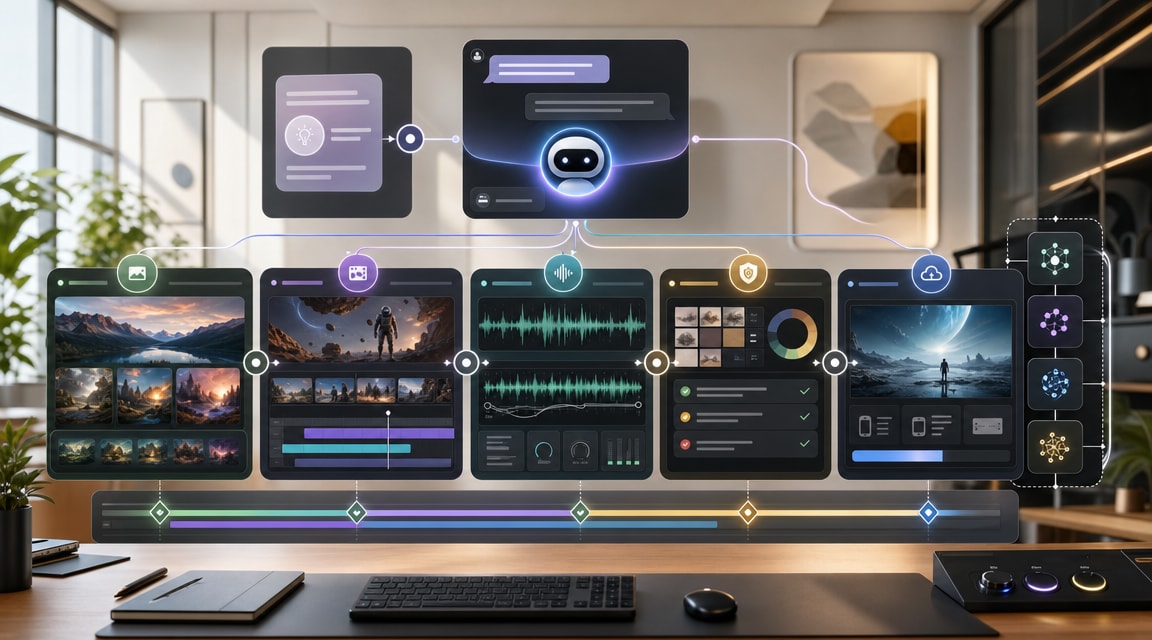
Adobe Firefly AI Assistant is a useful signal for where AI image, AI video, and all-in-one creative tools are moving in 2026: away from one-off prompt boxes and toward agentic workflows that can route a creative brief through multiple steps.
Adobe’s April 2026 announcement describes Firefly AI Assistant as a conversational interface that can orchestrate multi-step work across Creative Cloud apps and generative models. That matters for Makefun readers because creator demand is no longer just about which model can make the most cinematic clip or cleanest image. Teams increasingly want a workspace that remembers context, compares model choices, cleans up video and audio, and keeps review decisions attached to the final asset.
What Changed With Firefly AI Assistant
The core market signal is workflow orchestration. Adobe says the assistant will let creators describe an outcome in natural language while the system coordinates tasks across Firefly, Photoshop, Premiere, Lightroom, Express, Illustrator, and related tools. The same announcement also highlights stronger Firefly video and image editing features, including audio cleanup, color adjustments, Adobe Stock access, Precision Flow, AI Markup, and an expanded model roster.
For SEO and product planning, this is different from a normal model launch. A model launch usually adds a new capability such as text-to-video, image-to-video, higher resolution, native audio, or better prompt adherence. A creative-agent launch adds a layer above those models: it decides which tool should handle each part of the work, keeps project context available, and lets the creator approve or redirect the output before export.
Why This Fits The All-In-One AI Creative Studio Trend
Makefun has already covered model-led trends such as GPT Image 2, Runway MCP, Luma Uni-1, and agentic video generator workflows. Firefly AI Assistant sits in the same broader pattern: users want fewer disconnected tools and more guided creative pipelines.
Adobe’s current Firefly product page also reinforces the all-in-one positioning with image generation, video generation, talking avatar, animation, audio, dubbing, image editing, video editing, partner models, and plan tiers that bundle generation credits. Luma’s creative-agent push is another competitor signal: the market is rewarding systems that can plan, generate, review, and revise across modalities instead of asking users to manually stitch together separate AI tools.
Creator Workflow Checklist
- Start with the asset goal: Is the output a product video, social cutdown, avatar explainer, training clip, campaign image, or storyboard?
- Choose the right model layer: Use specialized image or video models when quality is the main constraint, and use a creative agent when routing, review, and iteration are the bottleneck.
- Keep source context attached: Brand assets, reference images, script notes, review comments, and export format should stay connected to the project.
- Verify the final asset: Check factual claims, captions, audio, likeness, visual consistency, and licensing before publishing.
- Use an all-in-one workspace when handoffs slow the team: The strongest fit is a repeated workflow with image, video, audio, and review steps, not a one-time prompt experiment.
How Makefun Creators Can Use This Signal
The practical takeaway is not that every creator needs Adobe’s exact stack. The takeaway is that the search intent around AI video generator trends is becoming workflow-led. People compare tools by how quickly they can move from a prompt or image to a reviewed, usable, multi-format asset.
For Makefun-style creation, this means content and product pages should keep explaining how model choice, image-to-video, audio cleanup, avatar generation, and review loops fit together. A creator may still start with one strong model, but the final workflow increasingly depends on orchestration: which step happens first, which model handles each asset, and how revisions are tracked.
FAQ
What is Adobe Firefly AI Assistant?
Adobe Firefly AI Assistant is Adobe’s announced creative agent for Firefly. Adobe says it will let creators describe an intended result while the assistant orchestrates multi-step workflows across Adobe creative apps and generative AI models.
Is this only an AI image generator?
No. The market signal is broader than image generation. Adobe positions Firefly around image, video, audio, partner models, editing tools, and app orchestration inside an all-in-one creative AI studio.
How is a creative agent different from a video model?
A video model generates or edits video. A creative agent can sit above multiple tools, remember project context, route tasks, ask for decisions, apply review feedback, and help the creator move from idea to finished asset.
Should creators still compare individual models?
Yes. Individual model quality still matters for realism, motion, prompt adherence, audio, and cost. The new question is whether the workspace also supports the surrounding workflow: brief, generation, editing, review, and export.
Evidence reviewed for this guide includes Adobe’s Firefly AI Assistant announcement, the current Adobe Firefly product page, and TechCrunch coverage of Luma creative agents.


