
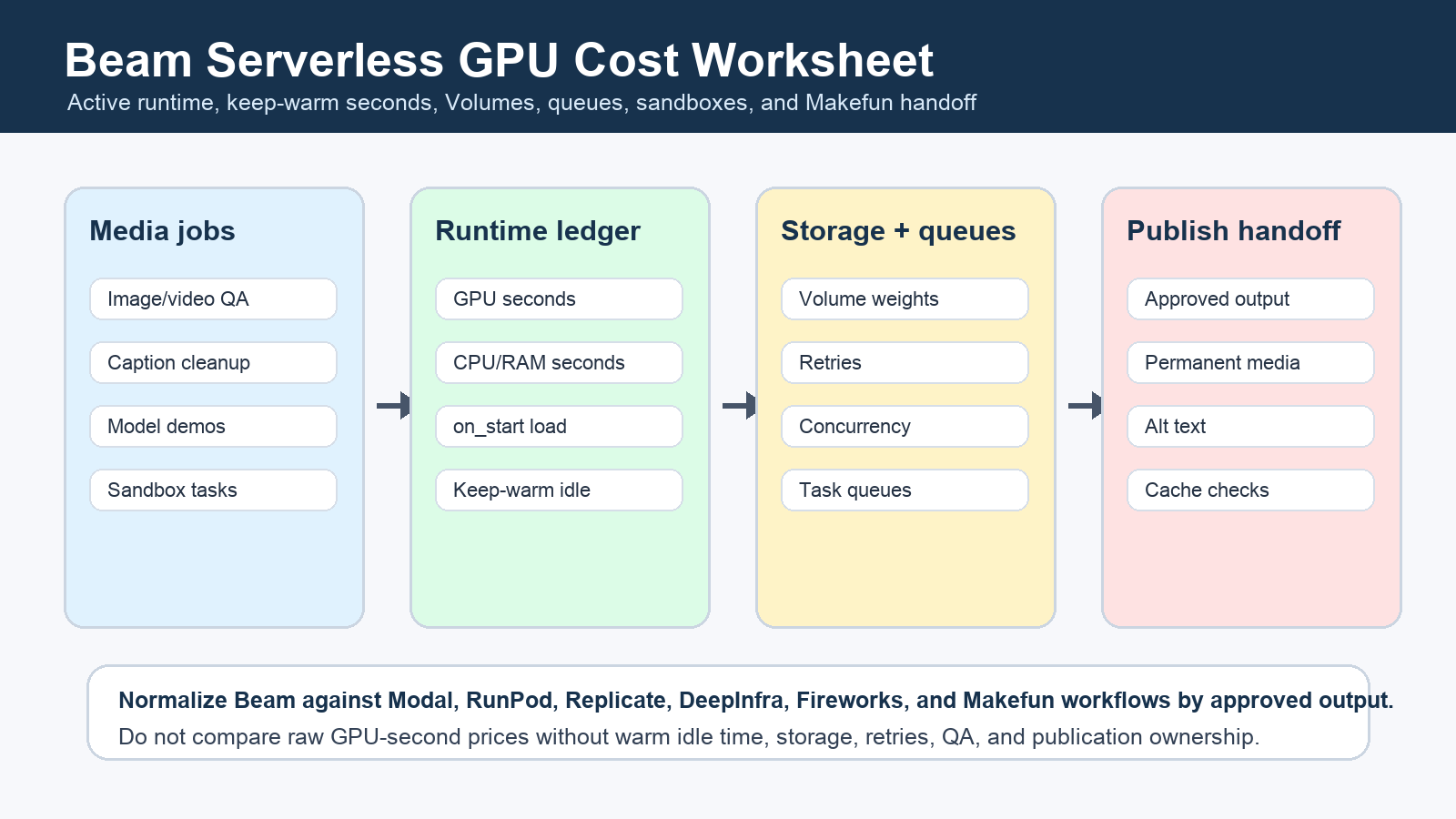
Beam cost planning should split one Makefun media-worker workload into active GPU/CPU/RAM seconds, charged on_start model loading, keep-warm idle seconds, task-queue retries, sandbox runtime, persistent Volume assumptions, concurrency limits, and publication handoff. This is a Beam-specific worksheet, not another broad serverless GPU roundup.
Publisher refreshed the official Beam pricing page, pricing and billing docs, Volume docs, platform introduction, and sandbox configuration docs on June 25, 2026 before creating this article. Use those official pages as the source of truth because machine rows, keep-warm defaults, and plan terms can drift.

Beam pricing is a lifecycle cost stack
Start with a finished media job, then separate every container lifecycle row. Active application time, on_start loading, configured keep_warm_seconds, GPU/CPU/RAM seconds, sandbox sessions, queue retries, and Volume setup are different cost drivers. Machine startup and image pulls are not the same row as model loading or warm idle exposure.
| Worksheet row | What to collect | Why it matters |
|---|---|---|
| Approved outputs | Monthly image/video QA jobs, caption cleanup runs, demo endpoint calls, and final accepted assets. | Costs should be normalized by usable output, not only container seconds. |
| Active runtime | Average GPU, CPU, and RAM seconds for the model or media operation. | This is the core Beam compute row. |
| on_start loading | Model package load time, dependency setup, and initialization work. | Long setup can dominate short media jobs even when request time is brief. |
| Keep-warm idle | Configured keep_warm_seconds, default spin-down behavior, and expected idle windows. | Warm endpoints can improve latency while adding paid idle exposure. |
| Volumes | Model weights, datasets, uploads, downloads, persistence, and cleanup rules. | Persistent storage can reduce repeated setup but adds operational ownership. |
| Queues and retries | Queued jobs, concurrency caps, retry share, callbacks, and deadline tolerance. | Batch media work often fits queues better than always-warm endpoints. |
| Makefun handoff | Permanent media registration, alt text, body links, source refresh, verifier checks, and rollback. | A vendor job is not done until the public Makefun page is verified. |
Keep-warm, cold start, and latency rows
Beam can be attractive for bursty image and video workers when scale-to-zero or short warm windows match the workload. The calculator should still price paid idle exposure: a warm endpoint, a task queue, a pod, and an always-on alternative can all look similar in a demo but diverge once latency targets, review cycles, and retry rates are included.
Same-use comparison matrix
Compare Beam only after normalizing one media workload. The closest live Makefun comparisons checked in this run were the Modal serverless GPU warm Volume calculator and the RunPod serverless GPU worker idle-timeout calculator. For commercial routing, connect infrastructure math back to Makefun AI video generation, image to video, subtitle cleanup, and Makefun pricing.
| Route | Best fit | Hidden row to add |
|---|---|---|
| Beam endpoint | Bursty media inference where latency can tolerate scale-to-zero or controlled warmth. | Keep-warm idle exposure plus on_start loading. |
| Beam task queue | Batch media QA, caption cleanup, thumbnail generation, and post-processing. | Retries, concurrency caps, callbacks, and review labor. |
| Beam Volume | Repeated model-weight or dataset use across media jobs. | Upload/download workflow, persistence, and cleanup owner. |
| Beam sandbox | Isolated generated-code or workflow execution. | Timeouts, secrets review, network policy, and output handoff. |
| Makefun managed workflow | Finished video, avatar, cleanup, and publishing outcomes. | Permanent media, body links, cache, sitemap, and editorial QA. |
Risk controls before quoting Beam costs
Do not claim Beam is cheapest, fastest, lowest latency, more reliable, or best without same-date same-workload evidence across every compared path. Keep raw GPU-second, hour, request, storage, and seat prices out of direct comparison until they are converted into cost per approved output or workflow run.
FAQ
What does Beam charge for when an endpoint is warm?
Beam docs frame billing around the running container lifecycle, including application code, on_start code, and configured keep_warm_seconds. Refresh the official docs before quoting exact wording or defaults.
How should Beam Volumes be modeled?
Use Volumes for persistent model weights or large datasets, then add setup workflow, upload and download operations, temporary-file cleanup, and the delay before writes are visible to other containers.
Is Beam cheaper than Modal or RunPod?
Do not answer from raw GPU-second rows. Normalize the same workload across active runtime, warm idle exposure, storage, retries, concurrency, latency target, review labor, and permanent Makefun media handoff.


