
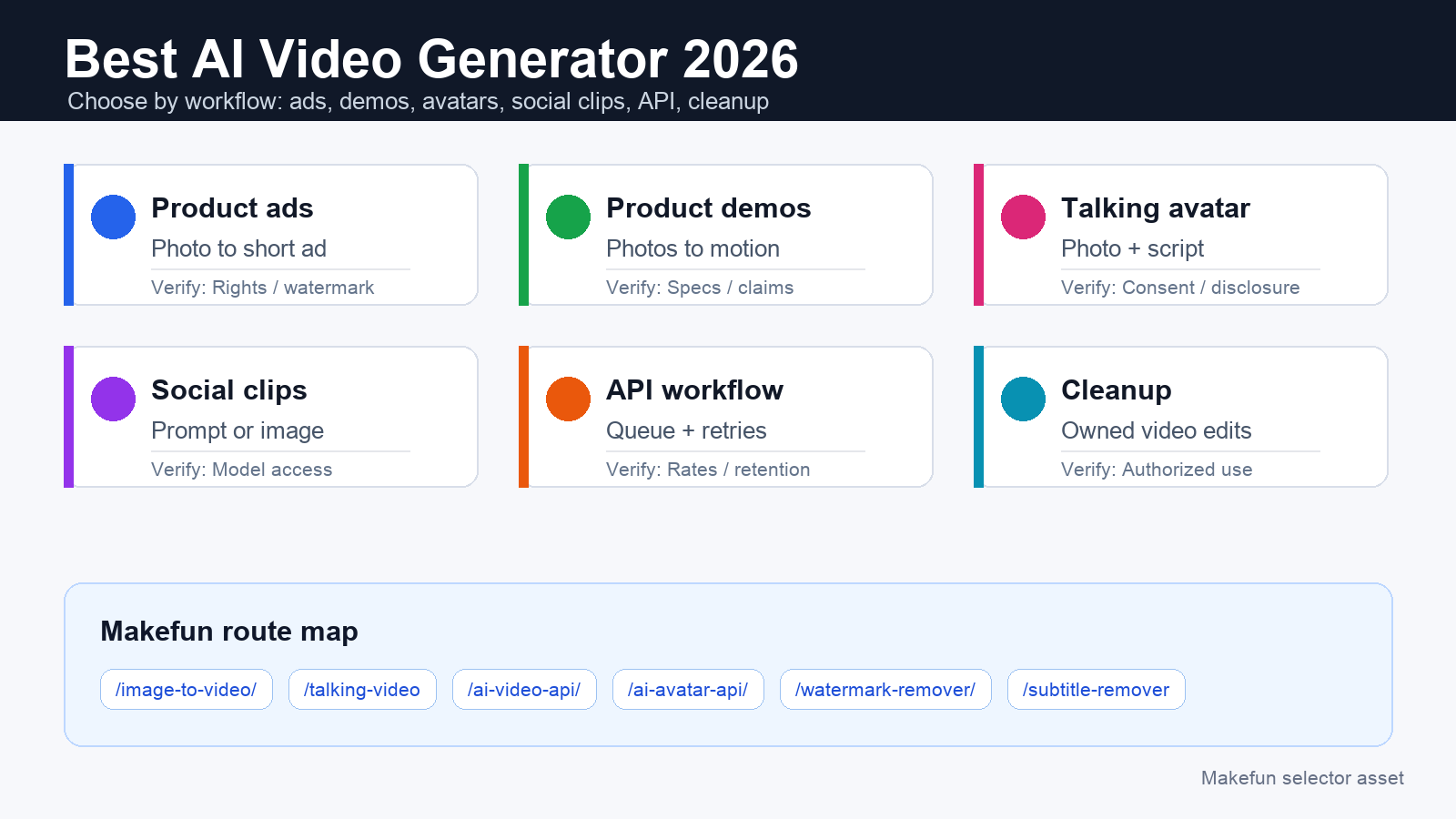
The best AI video generator in 2026 depends on the job. Use image-to-video for product ads and demos, talking-avatar tools for explainers, cinematic video models for polished social clips, API routes for production workflows, and cleanup tools when the source video already exists but needs authorized subtitle or watermark removal.

Quick selector: choose by workflow, not hype
A universal ranked list gets stale quickly because model access, plan limits, credits, watermark rules, API availability, and commercial-use rights change. Start with the output you need, then verify the current official page before choosing a paid plan or API.
- Product ad from one photo: start with Makefun image-to-video, then use the AI video ad generator workflow to shape the hook, offer, and CTA.
- Product demo or marketplace video: use Makefun app image-to-video when the source asset is a clean product image or product image set.
- Talking avatar or founder explainer: use Makefun talking video or plan a developer path with the AI avatar API; keep consent, likeness, and voice rights documented.
- Cinematic or social short: compare current video models by motion control, duration, audio support, aspect ratio, and region access, then route usable source images into Makefun workflows.
- API production: use the AI video API when you need queues, retries, moderation, storage, and repeatable prompt templates.
- Cleanup or reuse: use watermark remover or subtitle remover only for videos you own, license, or are authorized to edit.
Use-case selector matrix for 2026
| Use case | Best-fit generator type | Verify in 2026 | Makefun route |
|---|---|---|---|
| Product ad from a product photo | Image-to-video plus short ad template | Commercial rights, output length, aspect ratio, watermark policy, and retake cost | Image-to-video |
| Product demo or listing video | Image-to-video with controlled camera movement | Product distortion, marketplace specs, text legibility, export quality | App image-to-video |
| Talking avatar or founder explainer | Talking photo, avatar video, or lip-sync workflow | Consent, likeness rights, voice rights, disclosure, API access | Talking video |
| Cinematic clip or social short | Prompt-to-video or image-to-video model with motion controls | Current model access, audio, duration, safety filters, paid-plan limits | Seedance workflow notes |
| API production workflow | Developer-accessible video or avatar API | Rate limits, pricing unit, output retention, moderation path, deprecation notices | AI video API |
| Cleanup or reuse | Watermark remover, subtitle remover, or post-production cleanup | Usage rights, platform rules, logo ownership, caption needs | Subtitle remover |
Official freshness checks before you pay
Use official sources for current model and plan facts. Google DeepMind’s Veo page and Veo prompt guide are the starting point for Veo capability checks. Runway’s product page, pricing page, Gen-4 research page, and developer pricing guide are the right places to verify plan and API details. Kling’s AI video generator page is the official place to check its current video-generation and membership language.
Do not compare only monthly sticker prices. Compare the actual workflow: source assets, output length, retries, watermark-free export, API need, storage, commercial rights, and cleanup. If a provider page cannot be reached on publication day, avoid precise plan, free-tier, watermark, or API claims for that provider.
Rights, likeness, watermark, and reuse safeguards
Avatar, influencer, and talking-photo content needs documented consent for the face, voice, and script. Product demos need accurate claims and a source asset you are allowed to use. Cleanup tools should be limited to owned, licensed, or otherwise authorized videos; this guide does not recommend removing marks from third-party content.
For paid campaigns, check platform ad rules, disclosure requirements, commercial-use terms, region access, and watermark policy before exporting final creative. When in doubt, run one small test clip before buying a larger plan or building an API queue.
Decision worksheet
- What source asset do you have: product photo, product image set, face/photo, script, prompt, or existing video?
- Where will the video run: ad, marketplace, landing page, social short, internal demo, or API batch?
- What constraints matter: aspect ratio, length, audio, motion control, brand safety, likeness rights, watermark, subtitles, or budget?
- Which Makefun route matches the job: image-to-video, talking video, AI video API, AI avatar API, watermark remover, or subtitle remover?
- Which official provider pages confirm the current plan, credit, watermark, and API facts you need?
FAQ
What is the best AI video generator in 2026?
There is no single best choice for every workflow. Product ads need image-to-video and ad templates, avatars need consent-aware talking-video tools, cinematic clips need motion and style control, API teams need developer access, and cleanup jobs need authorized watermark or subtitle tools.
How should pricing be compared?
Compare the workflow unit: output length, credits or plan limits, retries, watermark-free export, API usage, storage, and cleanup. Monthly price alone does not show the cost of getting a usable final video.
Can I remove a watermark from any AI-generated video?
No. Use watermark and subtitle cleanup only on videos your team owns, licenses, or is otherwise authorized to edit.


