
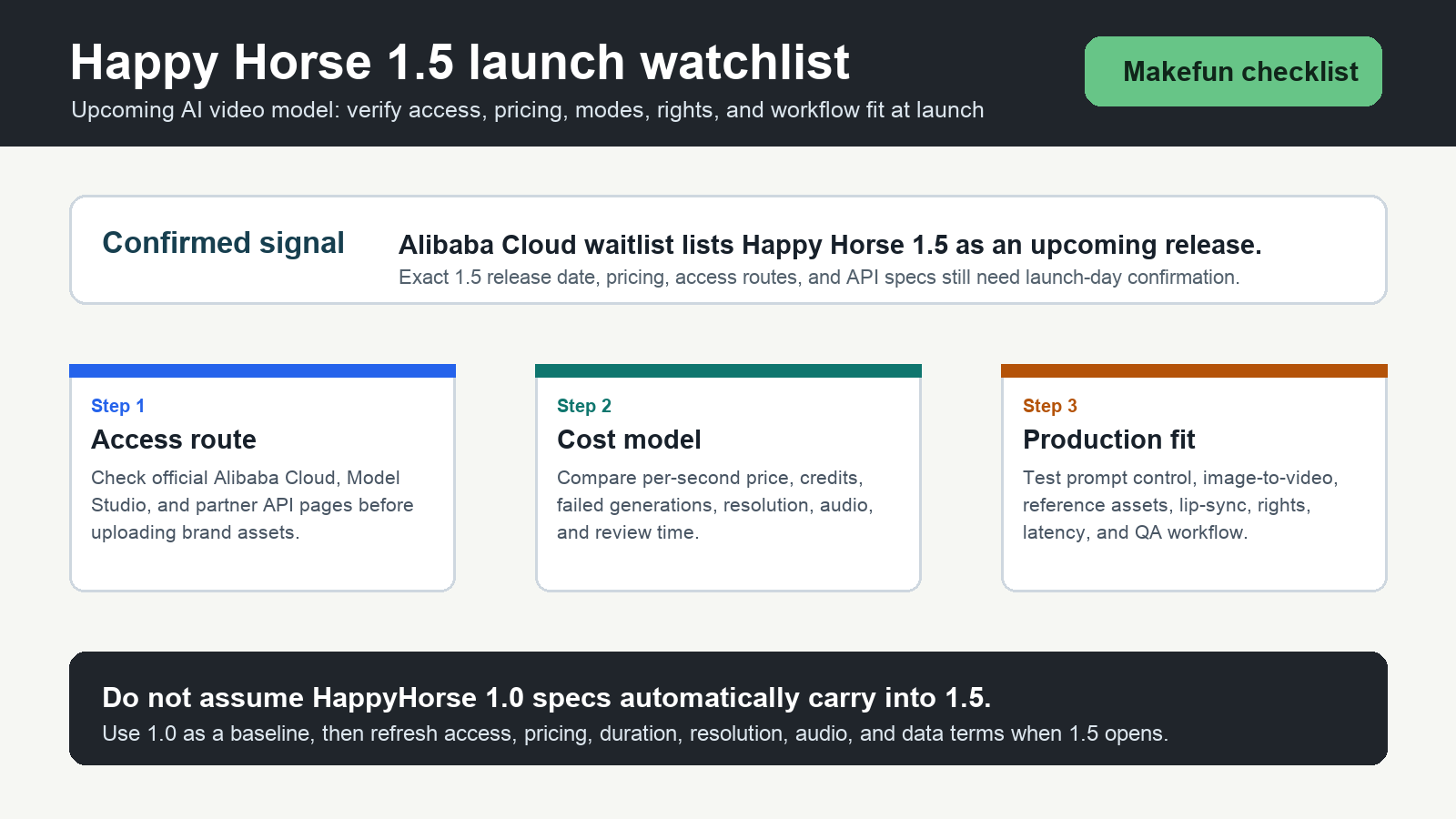
Happy Horse 1.5 is now worth putting on a Makefun AI video launch watchlist. As of June 12, 2026, the Alibaba Cloud latest AI model waitlist lists Happy Horse 1.5 under upcoming releases. That is the confirmed public signal. For Makefun users, the practical starting point is the Makefun Happy Horse app, where teams can test Happy Horse workflows inside Makefun instead of jumping between unrelated access pages.
This article is written for Makefun creators and operators. Use it to decide what to test in Makefun, which launch details still need confirmation, and how to compare Happy Horse output against the rest of your Makefun video workflow. Exact Happy Horse 1.5 release timing, model routing, pricing, output duration, resolution, and commercial terms should still be refreshed when official launch details are public.
Makefun-first launch status
| Question | Makefun answer now | What to verify at launch |
|---|---|---|
| Where should Makefun users start? | Start with the Makefun Happy Horse app for internal testing and production experiments. | Whether and when the app exposes Happy Horse 1.5 specifically, plus any model selector, queue, or quality changes. |
| Is Happy Horse 1.5 coming? | Alibaba Cloud’s waitlist names Happy Horse 1.5 as an upcoming release. | The release date, region availability, beta process, and official 1.5 documentation. |
| What should creators test first? | Use Makefun workflows: prompt-to-video, image-to-video, product shots, character scenes, talking scenes, and localized creative variants. | Which 1.5 modes are actually available in Makefun, whether audio and lip-sync are included, and which inputs are allowed. |
| How should cost be judged? | Judge the Makefun workflow by cost per approved clip, not by a detached model headline. | Makefun credit usage, failed-generation handling, output resolution, watermark behavior, commercial rights, and review time. |
| Is it ready for brand work? | Use non-confidential tests first, then move into client assets only after terms and output quality are clear. | Upload retention, training use, reference-face policy, product/logo rights, indemnity, and data-processing terms. |
Makefun testing checklist
- Start in Makefun. Open the Makefun Happy Horse app and test with non-confidential prompts, images, and product references first.
- Separate model quality from workflow cost. Track Makefun credits, generation attempts, failed jobs, review time, output approvals, and any extra audio, upscaling, or editing steps.
- Test Makefun modes separately. Text-to-video, image-to-video, reference-driven clips, talking scenes, and product shots can have very different reliability profiles.
- Check audio and lip-sync with real scripts. Native audio is useful only if timing, voices, captions, accents, music rights, and multilingual delivery fit the job.
- Review commercial-use terms before client work. Confirm whether outputs can be used in paid ads, marketplaces, YouTube, app onboarding, ecommerce pages, and localized campaigns.
Makefun budget worksheet
When Happy Horse 1.5 becomes available, avoid judging it by a single model price or demo clip. For Makefun production planning, use a cost-per-approved-clip worksheet that includes Makefun credits, generation attempts, output seconds, review labor, revisions, rejected clips, audio cleanup, captions, localization, storage, and downstream publishing.
| Budget row | What to record in Makefun | Why it matters |
|---|---|---|
| Model usage | Resolution, duration, number of attempts, failed jobs, and billed credits or seconds. | The best workflow is the one that produces approved clips reliably, not the one with the loudest launch claim. |
| Prompt and asset prep | Reference images, product shots, brand rules, storyboard, voice script, and safety review. | Better inputs often reduce rejected generations. |
| Audio and language | Dialogue, Foley, music, lip-sync language, captions, and dubbing requirements. | Audio quality changes whether the clip is usable without a second tool. |
| Rights and data policy | Commercial use, training use, upload retention, likeness rights, and customer-data handling. | Compliance can decide whether a model is usable for real clients. |
| Publishing workflow | Export format, aspect ratios, storage, moderation, approval, and handoff into Makefun’s editing or publishing flow. | A good demo still needs repeatable delivery operations. |
How to compare Happy Horse inside Makefun
The useful comparison is not only “which model looks best.” Test Happy Horse against the same prompt set, same source images, same aspect ratios, same target duration, same language, and same approval criteria. Start with the Makefun Happy Horse app, then compare results with adjacent Makefun workflows such as the AI video API, image-to-video, Kling 2.6, Wan 2.6, and PixVerse V6.
For Makefun-style production, the most useful first test is a small batch: five text-to-video prompts, five image-to-video prompts, two reference-driven clips, and one localized talking scene. Score each output by visual quality, prompt adherence, motion stability, audio sync, language quality, editability, review time, and final approval rate.
Practical adoption path
If you already use Makefun for AI video, keep a baseline set of prompts and source images now. When Happy Horse 1.5 becomes available in the relevant workflow, rerun the same set and compare output quality, cost, latency, failure modes, and policy limits. If you have not tested Happy Horse yet, start in the Makefun app with non-confidential assets before committing budget or client materials.
The safest early workflow is a gated Makefun experiment: non-confidential assets, short prompts, clear evaluation rubrics, no client likenesses, no private product launches, and a human review step before anything goes into ads, ecommerce, social posts, or app onboarding.
FAQ
Is Happy Horse 1.5 available in Makefun now?
The Makefun Happy Horse app is available for testing. The confirmed public signal checked for this article is that Alibaba Cloud lists Happy Horse 1.5 as an upcoming release, so 1.5-specific availability should be verified when launch details are public.
Should creators wait for Happy Horse 1.5 or test in Makefun now?
Teams with immediate needs can test the Makefun Happy Horse workflow now, save a baseline prompt set, and rerun the same assets when 1.5-specific routing is confirmed.
Can I use unofficial Happy Horse 1.5 websites?
Avoid uploading sensitive images, faces, product references, scripts, or client assets to unofficial sites. For Makefun work, start with the Makefun app and verify provider terms before moving into client production.
What should I compare first when Happy Horse 1.5 launches?
Compare cost per approved clip, prompt adherence, image-to-video quality, audio sync, language support, output duration, reference handling, latency, rejected generations, commercial-use terms, and fit with the rest of your Makefun workflow.


