
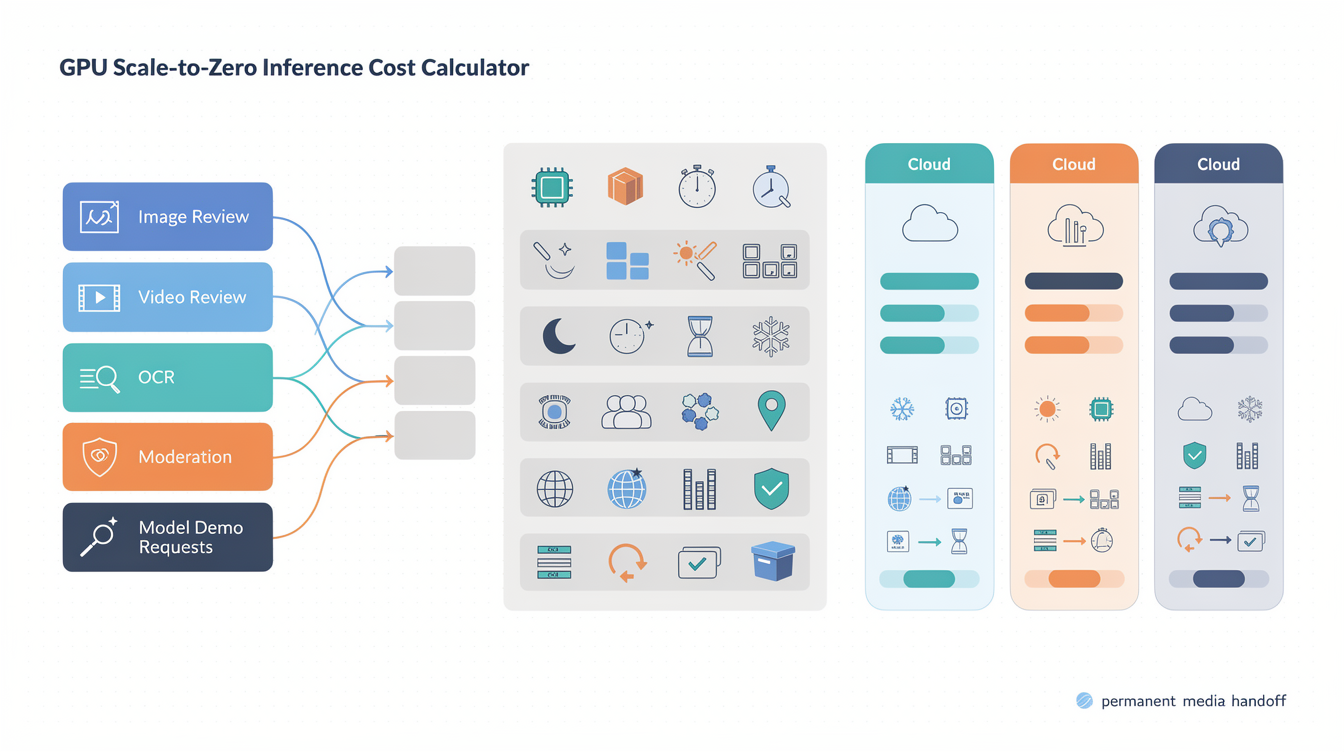
Koyeb cost planning should start with one workload, not one headline GPU price. For a Makefun-style AI media workflow, model the approved output against active GPU inference seconds, selected instance type, minimum and maximum instances, scale-to-zero idle windows, cold-start tolerance, bandwidth, regions, retries, QA review, and permanent media handoff.
Koyeb pricing starts with active seconds
Koyeb’s current pricing and instance reference pages expose the important unit for bursty inference planning: GPU instances can be modeled by the second as well as by hour or month. That makes the first worksheet row simple: estimate how many seconds the model is actually running, then multiply by the selected GPU instance price after refreshing the official row on publication day.
The trap is treating active seconds as the whole bill. A media QA worker, OCR/source extraction job, caption cleanup pass, moderation step, or model-demo endpoint also creates failed outputs, retries, queue time, human review, bandwidth, and publication handoff work. The practical unit is cost per approved output or workflow run.
Current official source snapshot
This calculator is based on a publication-time refresh of Koyeb’s official pricing, instance reference, Scale-to-Zero, AI inference, and AI apps pages. The pricing page and instance reference support the GPU price-row framing. The Scale-to-Zero docs support the minimum-instances-zero and idle-period framing. The AI inference and AI apps pages support the endpoint, framework, autoscaling, observability, NVMe, and global deployment context.
- Koyeb Pricing: use this for current per-second billing, GPU rows, bandwidth, custom-domain, and plan context.
- Koyeb Instance Types: use this for GPU instance names, VRAM, vCPU, RAM, and price columns.
- Koyeb Scale-to-Zero: use this for minimum instances, idle period, public-preview wording, and wake behavior.
- Koyeb AI Inference: use this for inference frameworks and endpoint operations.
- Koyeb AI Apps: use this for serverless AI app, autoscaling, logs, metrics, NVMe, and deployment positioning.
Worksheet inputs for one Makefun media worker
Use one row per workload. A short image review worker and a model-demo endpoint may both use GPUs, but they do not create the same latency, retry, or QA economics.
| Input | Why it matters |
|---|---|
| Approved outputs per month | Normalizes infrastructure spend to usable Makefun results. |
| Average active inference seconds | Connects request duration to Koyeb’s current GPU instance second price. |
| GPU instance type | Changes VRAM, vCPU, RAM, and price rows. |
| Minimum and maximum instances | Separates scale-to-zero savings from paid warm capacity. |
| Idle period and cold-start tolerance | Controls whether sleeping saves money or creates user-visible retry cost. |
| Retry rate and failed outputs | Prevents failed media jobs from disappearing from the calculator. |
| Region count and bandwidth | Keeps networking and global delivery separate from GPU compute. |
| QA minutes and media handoff | Captures review, alt text, WordPress media, Yoast, cache, and rollback work. |
Scale-to-zero versus warm instances
Scale-to-zero is useful only when the workload can tolerate the wake-up path. Set minimum instances to zero in the calculator when bursty jobs can wait. Add a warm-capacity row when first-request latency, model loading, or live review makes an idle GPU cheaper than missed or retried work.
Keep three rows side by side: active compute, scale-to-zero idle behavior, and warm minimum instances. The active row estimates successful and retried inference seconds. The scale-to-zero row estimates idle windows and wake events. The warm row makes latency protection explicit as paid capacity.
Regions, bandwidth, domains, and handoff
Multi-region deployments, outbound bandwidth, custom domains, logs, metrics, and rollback plans should be separate rows. They can change the cost of a creative workflow even when the GPU runtime looks small.
The final row belongs to Makefun handoff: download or store the output permanently, register WordPress media, set alt text, avoid temporary MakeFun URLs, write Yoast metadata, check internal links, verify the sitemap, and hand the page to Verifier/Fixer if the canonical URL is stale.
Same-use alternatives and risk controls
Compare Koyeb only after normalizing the same workload. Do not compare raw GPU-hour, request, storage, or bandwidth numbers directly. For adjacent planning, use live Makefun calculators such as the RunPod serverless GPU worker idle-timeout calculator, Cerebrium serverless GPU cold-start calculator, Replicate deployments hardware autoscaling calculator, DeepInfra private deployment GPU-hour calculator, and Fireworks serverless cache batch LoRA calculator.
Avoid cheapest, fastest, most reliable, or best-provider claims unless the article refreshes same-date, same-workload evidence. The safer conclusion is a decision rule: Koyeb deserves a row when intermittent inference can benefit from per-second billing and scale-to-zero behavior, while warm or managed paths deserve rows when latency, reliability, review labor, or permanent media handoff dominate the bill.
FAQ
Does Koyeb Scale-to-Zero work for GPU instances?
Koyeb’s current docs say Scale-to-Zero applies to Standard CPU and GPU instances when minimum instances are set to zero. Refresh the page before quoting the exact wording because the feature is documented as public preview.
What idle period should the calculator use?
Use the current Scale-to-Zero docs as the source of truth. The queue snapshot used a 5-minute default idle-period assumption for Standard CPU/GPU and longer configurable windows on paid plans.
Should Koyeb be compared by GPU-hour price alone?
No. Normalize active seconds, min instances, idle windows, cold starts, bandwidth, regions, retries, QA, and permanent media handoff before comparing Koyeb with any serverless GPU or managed workflow route.


