
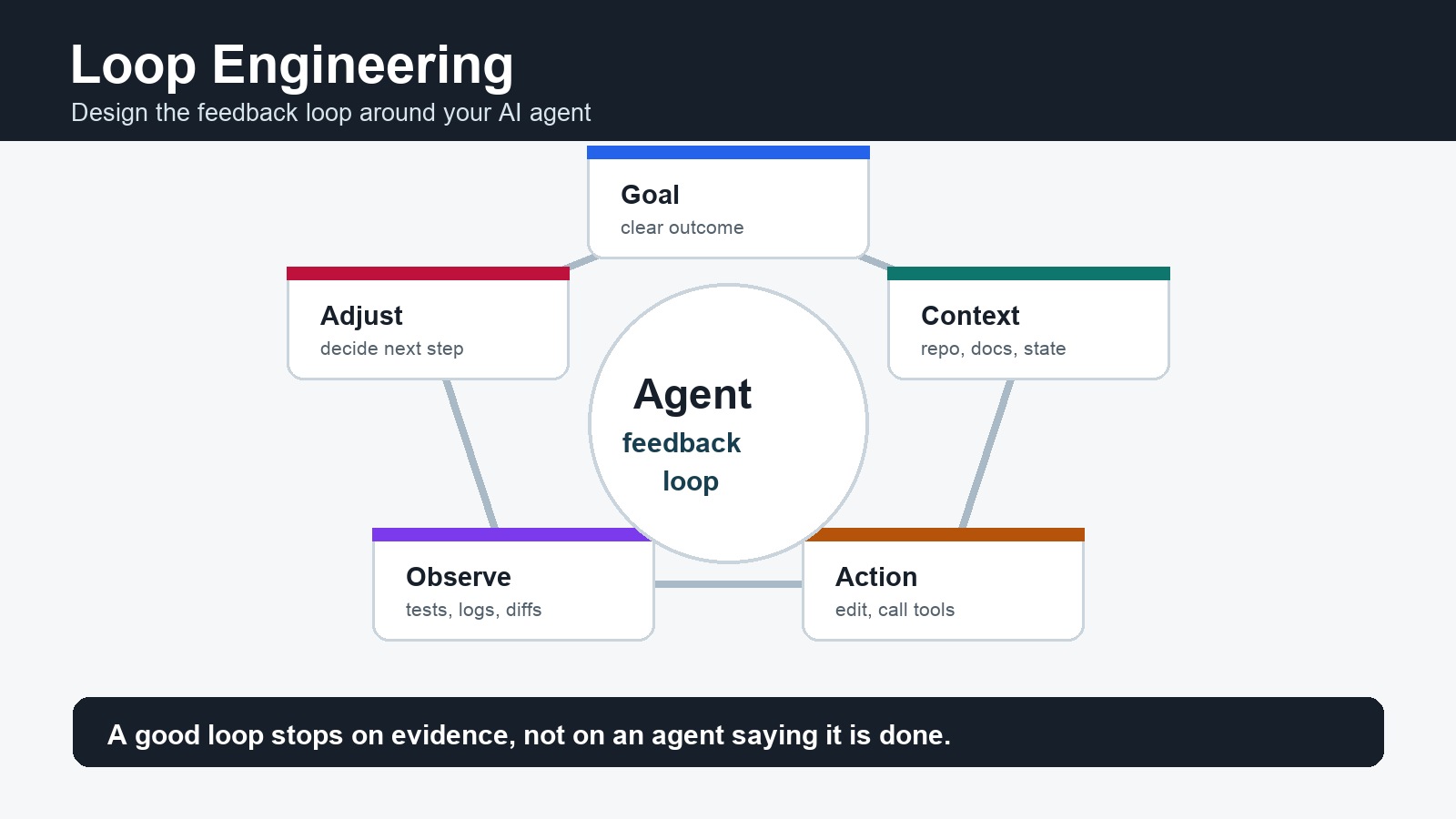
Loop Engineering is the practice of designing the feedback loop around an AI agent: how it receives a goal, gathers context, takes action, observes results, verifies progress, remembers state, and decides whether to continue, stop, or ask for human judgment. It is the next layer after prompt engineering. Instead of optimizing one instruction, you optimize the system that keeps asking the right next question.
The phrase became more visible in June 2026 as AI coding agents moved from one-off prompts toward recurring, goal-driven workflows. Addy Osmani describes the shift as designing a loop once instead of manually prompting every step, while also warning that verification still belongs to the engineer. MindStudio frames the same move as replacing manual prompting with goal-based automation. Kilo defines it as a process where agents plan, act, observe, and revise until a software task is complete or blocked.
The simple definition
A loop is a repeated cycle: define intent, collect context, act, observe feedback, adjust, and repeat. Loop Engineering is the discipline of making that cycle reliable enough for real work. The loop may run inside a coding agent, a content operation, a QA workflow, a media production pipeline, or an API automation. The important part is not that the agent is autonomous; the important part is that every step has observable feedback and a stopping rule.
| Layer | What it optimizes | Unit of work |
|---|---|---|
| Prompt Engineering | The wording of one instruction. | One model response. |
| Context Engineering | The files, docs, examples, state, and tool definitions the model sees. | One informed task attempt. |
| Loop Engineering | The full repeatable system of goal, context, action, observation, verification, memory, and stop conditions. | A workflow that can run across many turns. |
What a good loop contains
- Goal: a narrow outcome, not a vague command.
- Context: the repo, docs, logs, customer request, design, or source material needed to act.
- Action: a bounded edit, tool call, draft, test run, search, or data operation.
- Observation: compiler output, tests, screenshots, API responses, analytics, reviewer comments, or user feedback.
- Adjustment: a decision to retry, change approach, escalate, or stop.
- Memory: a durable record of what happened, what failed, what passed, and what should happen next.
- Verification: evidence that the outcome is real, not just a model claim.
Why Loop Engineering matters
Single prompts work well for small answers. They break down when the task depends on external state: a failing test, a live API response, a design screenshot, a deployment rule, a WordPress cache state, or a customer workflow. Loop Engineering turns those signals into inputs for the next step. That is why it matters for AI coding agents, but also for Makefun-style content, video, and automation workflows.
For example, a media workflow can loop through prompt creation, image-to-video generation, visual review, subtitle cleanup, export, and publishing. A coding workflow can loop through issue triage, code search, patching, test execution, review, and pull request updates. A publishing workflow can loop through source refresh, duplicate checks, media generation, WordPress publish, REST verification, sitemap checks, and cache-pending follow-up.
Common loop patterns
| Pattern | Use it for | Failure mode to watch |
|---|---|---|
| Retry loop | Short tasks with clear pass/fail criteria, such as fixing one failing test. | Infinite retries without changing strategy. |
| Verifier loop | Work where the maker and checker should be separate, such as generated code or SEO publishing. | The verifier only checks easy signals and misses user-facing behavior. |
| Triage loop | Recurring queues, alerts, customer issues, or content backlogs. | The loop keeps sorting work but never closes one item. |
| Human-in-the-loop workflow | High-risk decisions, brand-sensitive media, payments, legal wording, or production deploys. | Human approval becomes a rubber stamp instead of judgment. |
| Memory loop | Long-running operations where tomorrow’s run should know what happened today. | Bad memory causes the agent to repeat old mistakes faster. |
Loop Engineering for Makefun workflows
Makefun readers can apply Loop Engineering beyond code. In AI video production, the loop might start with a script, generate several clips, inspect motion and artifacts, clean subtitles or overlays, upscale a final version, and record which prompt worked. The same idea applies to image-to-video, AI video API, talking video lip-sync, and watermark remover workflows.
The key is to make every loop measurable. Do not ask an agent to “make a better video” or “fix SEO.” Define the next observable step: generate three variants, compare motion stability, check body links, verify REST status, inspect cache-busted HTML, or ask a human reviewer to choose the version that matches the brief.
Risks and guardrails
- Weak verification: a loop that only trusts the agent’s summary will ship mistakes.
- Comprehension debt: work may move faster than the team understands it.
- Context drift: the loop can optimize for stale requirements or the wrong files.
- Runaway cost: frequent retries, large contexts, tool calls, and media generations can become expensive.
- Unsafe autonomy: some actions need approval before they touch production, payments, customer data, or public content.
A safe loop has explicit permissions, narrow scope, observable checks, budget limits, and a human review path. The goal is not to remove the engineer or operator. The goal is to let the loop handle repeatable steps while humans keep judgment over product quality, risk, and final release.
A practical starter template
| Field | Example |
|---|---|
| Goal | Publish one verified Makefun article about Loop Engineering. |
| Context | Reference links, current site state, duplicate checks, source refresh, media rules. |
| Action | Draft article, generate media, publish to WordPress, set metadata. |
| Observation | REST status, canonical status, sitemap status, body-link status, visual inspection. |
| Stop rule | Stop when page is published and verified, or record cache-pending/blocker with evidence. |
| Human judgment | Review whether the article actually answers the user’s intent and fits Makefun. |
FAQ
Is Loop Engineering the same as prompt engineering?
No. Prompt engineering optimizes one instruction. Loop Engineering optimizes the whole repeatable process around the model: context, tools, feedback, verification, memory, cadence, and stop rules.
Does Loop Engineering only apply to coding agents?
No. Coding agents made the term visible because tests and diffs create strong feedback. The same pattern applies to content operations, video generation, QA, data cleanup, support triage, and API workflows.
What makes a loop safe?
A safe loop has a narrow goal, bounded permissions, clear validation, durable state, budget controls, escalation rules, and human review for risky actions.
What is the easiest first loop to build?
Start with a small recurring task that has clear evidence: fix one failing test, check one published page, triage one queue item, or generate and review one media variant. Avoid broad autonomous loops until the small loop is reliable.


