
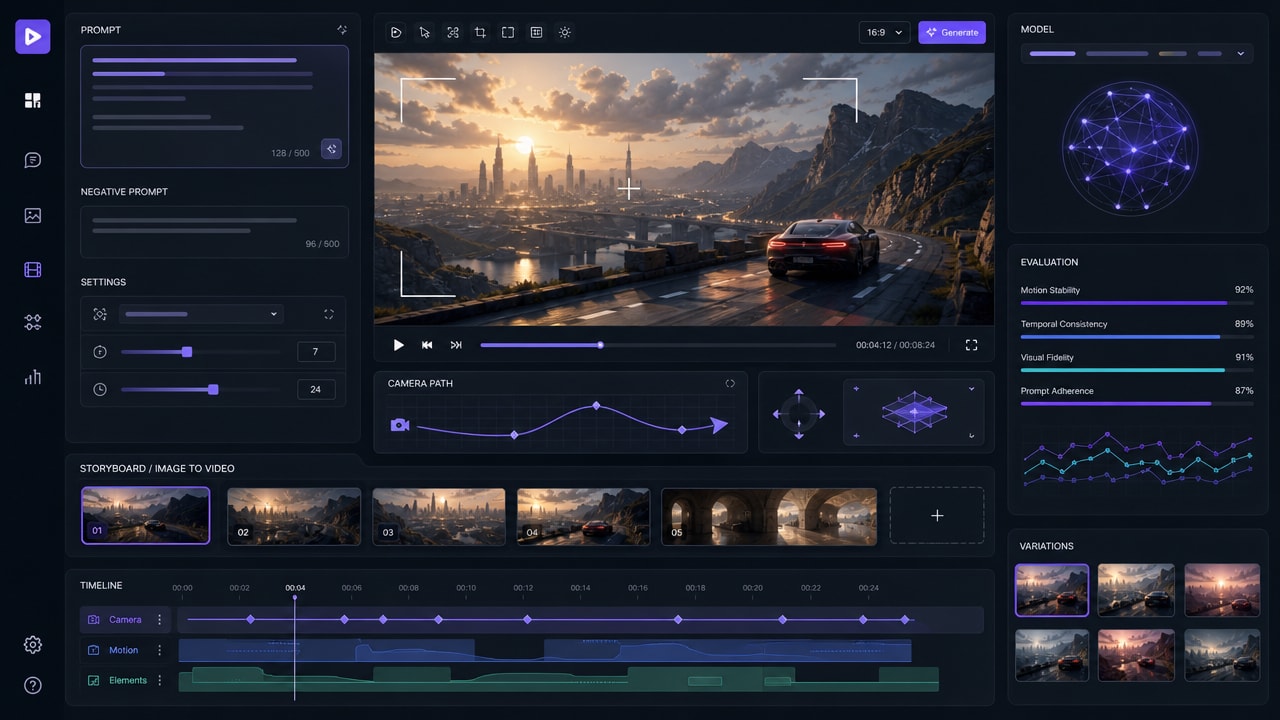
Runway Gen-4.5 AI video generator is a useful 2026 topic for creators who are comparing prompt-to-video, image-to-video, camera-control, and production-preview workflows. Runway positions Gen-4.5 around stronger motion quality, prompt adherence, visual fidelity, and precise creative control, which makes it relevant for Makefun readers who already follow Veo, Kling, Wan, Seedance, and image-to-video model updates.
Why Runway Gen-4.5 Matters for AI Video Workflows
Runway’s official Gen-4.5 research page describes the model as focused on cinematic realism, physical accuracy, temporal consistency, detailed compositions, and broader creative control. The practical SEO opportunity is not to claim that one model is always best. It is to help creators understand where a high-fidelity video model fits inside a broader production stack: text prompts for concept clips, image-to-video for reference-driven scenes, camera movement for shot design, and review loops for consistency.
That search intent overlaps with Makefun’s existing coverage of image-to-video generation, 2026 AI video generator trends, and model explainers such as Veo 3.1. A focused Runway Gen-4.5 article adds a missing model-led entry point without changing any Makefun product promise.
Best-Fit Use Cases
- Cinematic prompt tests: Use short scene briefs to evaluate motion, lighting, camera language, and visual continuity before committing to a longer edit.
- Image-to-video previews: Start with product photos, character references, or storyboard frames, then test motion direction and camera movement.
- Ad and social concepts: Generate multiple visual routes for a campaign, then compare which direction is most readable in short-form formats.
- Creative previsualization: Explore blocking, shot rhythm, and style before a human editor or production team finalizes the asset.
How to Evaluate a Runway Gen-4.5 AI Video Output
A good evaluation checklist should separate visual appeal from workflow fit. For each generated clip, review whether the prompt instructions are followed, whether objects remain stable across motion, whether camera movement supports the scene, whether characters or products keep recognizable details, and whether the output can be reused in an editing pipeline. For product videos, also check whether the scene avoids misleading product behavior or exaggerated claims.
Runway’s own limitations section is useful here because it calls out common video-model issues such as object permanence and causal reasoning. Those limitations are not a reason to ignore the model; they are a reason to keep the workflow structured. Short prompts, reference images, clear shot language, and review passes usually produce safer results than asking one model to invent an entire finished campaign in a single step.
Where Runway Fits Beside All-in-One AI Tools
The market is also moving toward all-in-one creative studios. Adobe Firefly now describes a multi-model creative environment that includes Adobe, Google, OpenAI, Runway, and Kling models. Smaller competitors also promote model aggregation for creators who want to switch between Veo, Runway, Kling, Sora, Wan, Seedream, Flux, and GPT Image style workflows from one place. That pattern reinforces why Makefun should cover model-specific search terms while also keeping internal links back to broader creation workflows.
For Makefun users, the safest framing is practical rather than comparative: Runway Gen-4.5 is one model to understand when planning cinematic shots, reference-based animation, and high-fidelity visual tests. It can sit alongside image-to-video tool research, older Runway workflow content, and Makefun’s broader AI video coverage.
Suggested Prompt Structure
Start with one sentence for the subject, one sentence for motion, and one sentence for camera or style. For example: define the product or character, specify the movement or action, then add shot type, lighting, aspect ratio, and pace. If the first result is close but unstable, revise the prompt by removing vague adjectives and adding concrete constraints such as camera distance, background simplicity, or the exact object that must remain consistent.
FAQ
What is Runway Gen-4.5?
Runway Gen-4.5 is Runway’s high-fidelity AI video generation model, positioned around motion quality, prompt adherence, physical realism, and creative control for cinematic generation workflows.
Is Runway Gen-4.5 only for text-to-video?
No. Runway says Gen-4.5 is intended to support multiple generation modes, including image-to-video and other control workflows, so creators should evaluate it as part of a broader video production process.
How should creators compare Runway Gen-4.5 with other AI video models?
Compare it by task: prompt adherence, motion realism, camera control, object consistency, output length, cost, speed, and whether the clip can be edited or reused in the final workflow. Avoid relying on one benchmark or one sample clip.


