
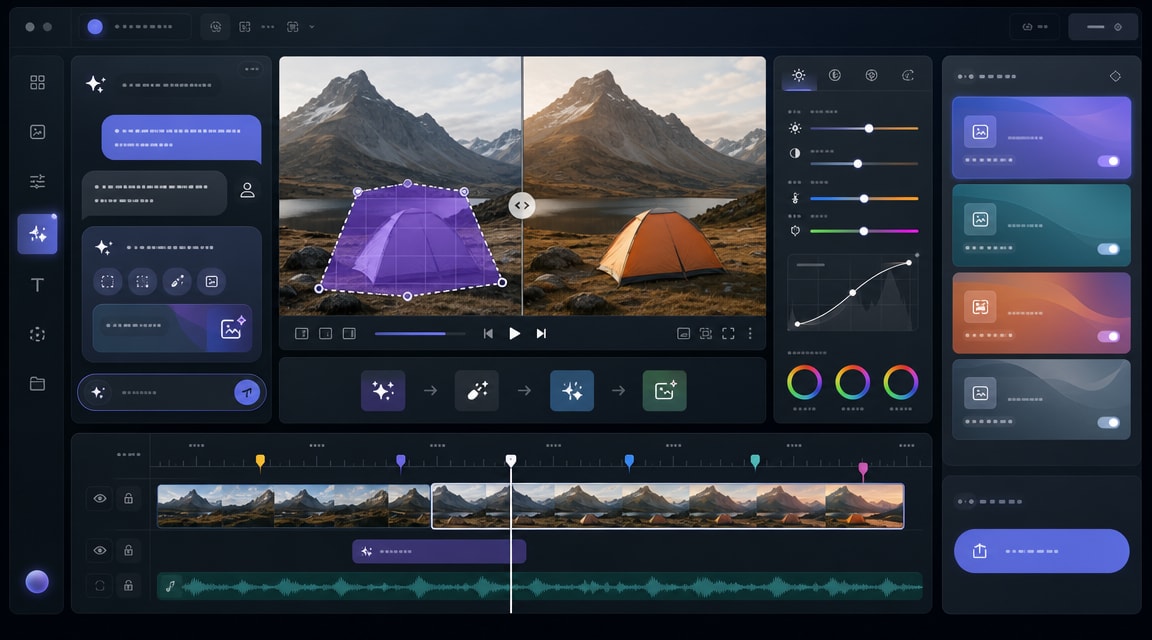
Vmake AI video object removal is a timely workflow to watch for creators who need cleaner product clips, social ads, tutorials, and UGC videos without rebuilding a scene frame by frame. Vmake announced in May 2026 that it integrated BridgeRemoval, an ICML-accepted video object removal algorithm, into its removal tooling. That matters because video cleanup is moving from manual masking and retouching toward practical AI editing inside everyday creator workflows.
For Makefun users, the useful angle is not just removing a watermark or object. The larger workflow is: start from a real video, identify a distracting visual element, reconstruct the background, then continue editing the same clip for social, ecommerce, or avatar-led campaigns. That sits close to Makefun’s AI video editing, image-to-video, and short-form video planning use cases.
Why BridgeRemoval makes Vmake relevant now
Vmake’s May 20, 2026 announcement says BridgeRemoval was accepted at ICML 2026 and is designed to improve object-removal quality and speed. The public research page and paper describe video object removal as a video-to-video translation problem, which is important because video edits need temporal consistency across frames. In practical terms, creators care whether the removed area stays stable instead of flickering or changing shape from frame to frame.
This is also why the keyword has search fit beyond a single brand name. Users search for AI video object removal, video watermark remover, remove people from video, video background reconstruction, and AI video editing tools. Vmake is one of several products trying to turn that research category into a one-click editing feature for business users.
Where the workflow fits
Vmake positions itself as an all-in-one UGC video generator for small businesses, sellers, creators, and marketers. Its current product pages include video generation, avatar videos, product video showcases, video enhancement, watermark removal, background removal, captions, hooks, and video-to-text workflows. Adding stronger object removal makes sense in that stack because ecommerce and short-form videos often need cleanup after the first shoot or generation pass.
A typical creator workflow could look like this:
- Generate or record a product clip, talking video, or short social asset.
- Remove a distraction, passerby, background object, text overlay, or unwanted mark.
- Enhance the clip, add captions, create visual hooks, and export variants for TikTok, Reels, Shorts, Shopify, or Amazon Inspire.
- Use Makefun’s broader AI video workflows to plan related image-to-video, avatar, or campaign assets.
How Makefun should cover it
This topic is best treated as a neutral workflow guide rather than a product ranking or competitor attack page. The useful Makefun coverage is practical: explain what video object removal solves, when it is safer than reshooting, and when creators should still review the final video for artifacts, privacy, permissions, and brand fit.
For readers who already use Makefun, Vmake-style object removal is adjacent to AI video editing workflows, agentic video planning, image-to-video creation, and Makefun’s own caption removal API. The common thread is post-generation cleanup: improving a clip after the first output instead of starting over.
What to check before using AI object removal
AI video object removal can save time, but it is not a magic final pass. Creators should check whether the tool preserves camera motion, shadows, reflections, hands, product edges, and any text that remains on screen. If the edit touches people, faces, licensed marks, or third-party footage, review rights and usage context before publishing the finished video.
For SEO, the opportunity is clear: Vmake’s BridgeRemoval update connects a recent product announcement, an accepted AI research direction, and a practical creator need. A focused Makefun article can capture that long-tail demand while keeping the content factual, reversible, and aligned with Makefun’s AI video workflow coverage.
FAQ
What is Vmake AI video object removal?
It is Vmake’s AI-assisted workflow for removing unwanted visual elements from videos, including objects, marks, or people, then reconstructing the background so the clip remains usable.
What is BridgeRemoval?
BridgeRemoval is a research-backed video object removal method described in a 2026 paper and integrated by Vmake into its removal tooling.
Is this the same as image background removal?
No. Video object removal has to keep edits consistent across many frames, so motion, lighting, shadows, and background reconstruction are harder than a single still-image edit.
How does this relate to Makefun?
It fits Makefun’s AI video and post-generation editing coverage, especially for creators who combine image-to-video, avatar, caption-removal, and short-form video cleanup workflows.


