
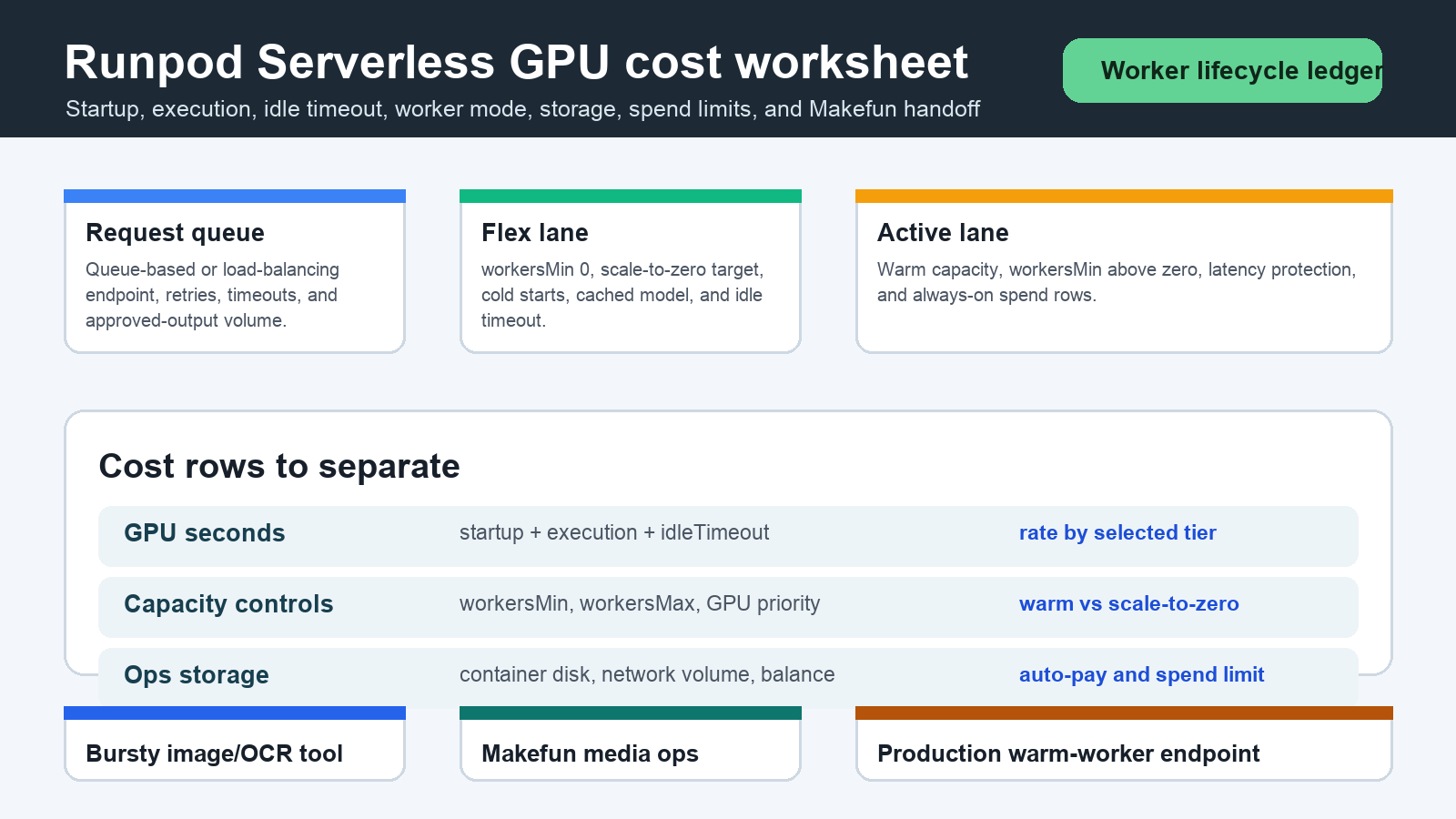
As of June 4, 2026, Runpod Serverless pricing should be modeled as worker lifecycle spend, not only successful inference time. A useful worksheet separates GPU seconds during startup, execution, and idle timeout; flex versus active worker settings; workersMin and workersMax; selected GPU tier; cached-model or FlashBoot assumptions; storage; retries; balance; auto-pay; spend limits; and Makefun workflow handoff. Refresh the official Runpod pricing pages before using this for procurement.
Publication-time checks used the official Runpod Serverless pricing, Serverless overview, endpoint management, Runpod pricing, and billing overview pages. Those official pages are the source of truth because GPU rows, storage rows, public endpoint rows, worker behavior, credit treatment, and spend-limit language can change.
Runpod Serverless pricing source snapshot
| Cost row | What to model | Budget caveat |
|---|---|---|
| Worker lifecycle | GPU seconds from worker startup through execution and idle timeout. | Do not budget only the model-output seconds; cold starts and idle timeout can change cost per approved output. |
| GPU tier | The selected Serverless GPU rate and any fallback tier order from the current Runpod pricing table. | Public pricing examples can change; the June 4 refresh confirmed the pricing page was live and should be re-opened before quoting exact rates. |
| Flex workers | Scale-to-zero settings, workersMin 0, workersMax, cold-start rate, cached model, and FlashBoot assumption. | Flex can reduce warm capacity spend, but user latency and cold-start failures still need operational rows. |
| Active workers | Warm capacity, workersMin above zero, active worker hours, and latency target. | Active capacity may be correct for production, but it changes scale-to-zero economics. |
| Storage and billing controls | Container disk, network volume, account balance, auto-pay, low-balance behavior, and spend-limit process. | Spend limits and balance rules are guardrails, not proof that failed jobs, retries, storage, or review labor are free. |
Startup execution and idle-timeout rows
Start each scenario with three time rows: startup seconds, execution seconds, and idleTimeout seconds before the worker stops. Multiply those rows by the current official GPU tier rate and by request volume, then add failed jobs, retry runs, queue timeouts, and human QA. This makes bursty workloads visible: a low-output demo can still be expensive if cold starts are long, containers are heavy, or idle timeout is set too high for the traffic pattern.
Flex worker versus active worker rows
Flex workers fit experiments, back-office media steps, and jobs that tolerate cold starts. Active workers or workersMin above zero fit latency-sensitive endpoints where warm capacity is worth paying for. The worksheet should show both: flex rows for scale-to-zero behavior and active rows for warm capacity. Avoid treating either mode as cheaper or better without the same request volume, startup time, execution time, idle timeout, and SLA target.
Three scenario calculator
| Scenario | Runpod inputs | Decision row |
|---|---|---|
| Bursty image or OCR tool | Queue-based endpoint, flex workers, workersMin 0, short idle timeout, cached model or FlashBoot assumption, container disk, network volume, retry rate, and spend limit. | Use Runpod when custom model control matters and cold starts are acceptable; compare against managed APIs for low-volume jobs. |
| Makefun media workflow handoff | Queue-based or load-balancing endpoint, burst batches, startup and execution seconds, idle timeout, failed jobs, manual QA, logs, privacy review, and Makefun API handoff. | Separate GPU spend from media review and support operations; model approved outputs, not raw attempts. |
| Production custom model endpoint | Active workers or workersMin above 0, workersMax, GPU fallback order, warm-capacity hours, balance, auto-pay, storage, and security review. | Warm workers can protect latency, but the buyer should see the always-on capacity row before comparing alternatives. |
Same-use comparison rows
Compare Runpod only against the same workload shape. For adjacent Makefun planning, use currently live internal references such as fal video API cost routing, Runware video API cost routing, Comfy Cloud API workflow costs, AWS Bedrock AgentCore cost governance, Pinecone Assistant context token planning, and Airtable Field Agents AI credit planning. Do not claim Runpod is cheapest, fastest, safer, more reliable, or better than Replicate, Modal, Hugging Face, Baseten, fal, Runware, WaveSpeed, direct APIs, or Makefun-owned workflows without fresh same-scenario evidence.
Makefun media API and custom model handoff worksheet
For Makefun-style operations, add separate rows for image or video preprocessing, OCR, moderation, RAG enrichment, transcript cleanup, support-agent handoff, human QA, localization, privacy review, and final API routing. Runpod can host a custom model step, but the operating budget still needs queue monitoring, retry handling, source verification, and human approval before output becomes customer-facing.
Risks and caveats
- Refresh official Runpod pricing, endpoint settings, Serverless worker behavior, storage, balance, auto-pay, and spend-limit docs before quoting exact numbers.
- Keep startup seconds, execution seconds, and idleTimeout seconds as separate rows.
- Count cold starts, cached-model misses, FlashBoot assumptions, failed jobs, retries, queue timeouts, and logs.
- Review storage deletion and low-balance behavior before leaving production assets in an unattended account.
- Avoid cheapest, best, fastest, safer, or guaranteed-savings claims unless every same-scenario row has current official evidence.
FAQ
What is the main hidden Runpod Serverless cost row?
The hidden row is often worker lifecycle time: startup, execution, and idle timeout. A team that counts only successful inference seconds can understate burst costs, failed jobs, and warm-worker behavior.
When should I use flex workers?
Use flex workers when the workload can tolerate cold starts and the endpoint should scale toward zero between bursts. Keep workersMin, workersMax, idle timeout, cached model, FlashBoot, and retry assumptions visible.
When do active workers make sense?
Active workers can make sense when latency, availability, or production review requires warm capacity. Model the active capacity row separately so it is not mistaken for scale-to-zero usage.
Can spend limits replace budget monitoring?
No. Treat spend limits, balance, and auto-pay as guardrails. The worksheet still needs retries, failed jobs, storage, logs, security review, and human QA rows.


