
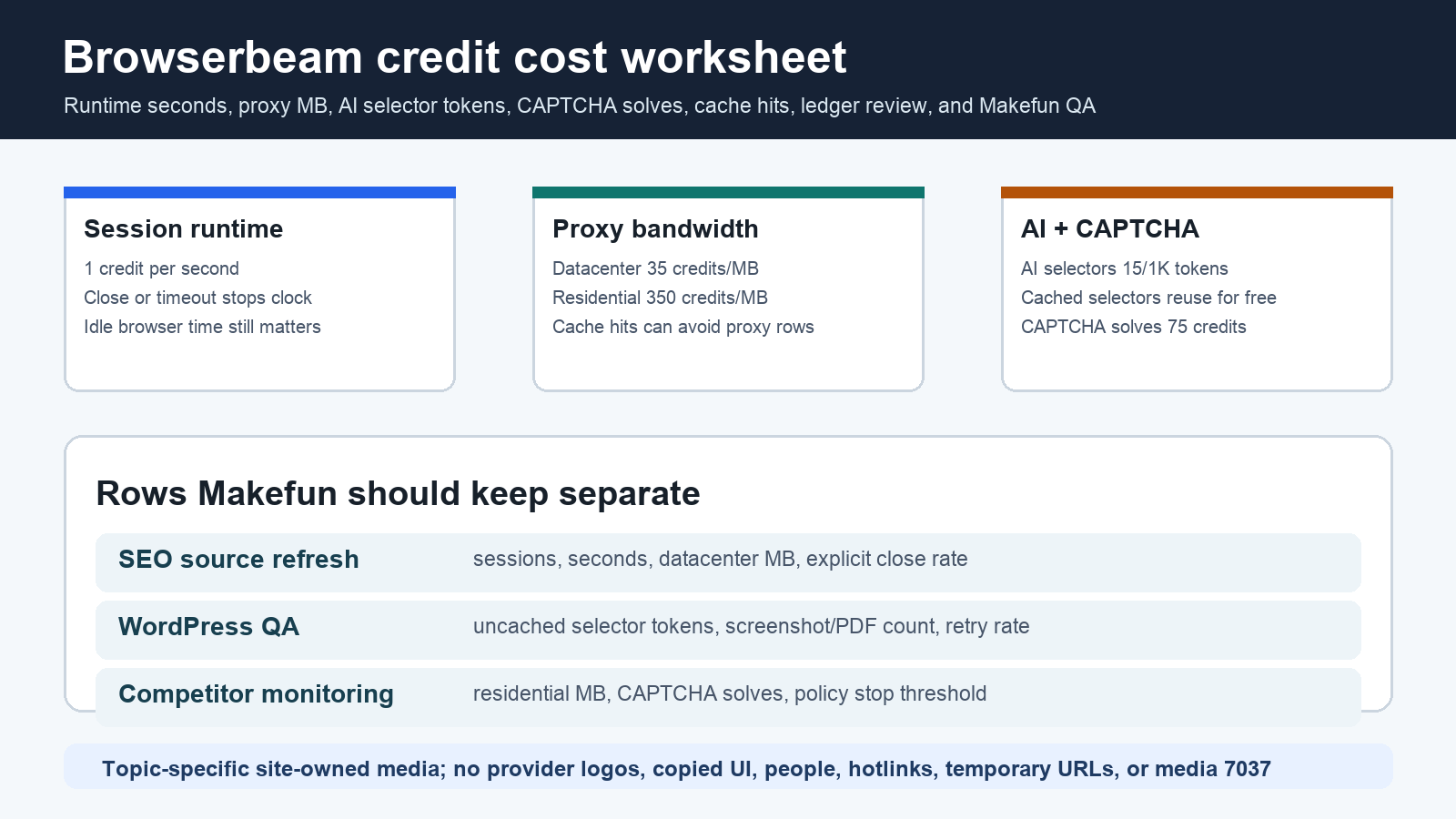
As of June 4, 2026, Browserbeam cost planning starts with one credit ledger, not just a plan name. Count browser runtime until close or timeout, add rounded datacenter or residential proxy MB, add uncached AI selector tokens, add CAPTCHA solves, and then compare the result with the monthly credit pool, concurrency limit, max-session limit, cache hit rate, and Makefun review work.
Publication-time checks used the official Browserbeam pricing page, Browserbeam Billing & Credits reference, and Browserbeam API documentation. Those official pages remain the source of truth because plan pools, per-service rates, proxy policy, CAPTCHA behavior, and session limits can change.
Browserbeam pricing source snapshot
| Credit row | Current Browserbeam input | Planning caveat |
|---|---|---|
| Runtime | 1 credit per second from session create until close or timeout. | Idle browser time still burns credits, so explicit close and max-session caps belong in the worksheet. |
| Datacenter proxy | 35 credits per MB, rounded independently per session. | Cache hits can avoid proxy bandwidth; model cache rate separately from page count. |
| Residential proxy | 350 credits per MB when residential proxy routing is selected. | Residential traffic can dominate short workflows and should have a policy gate before scale. |
| AI selectors | 15 credits per 1,000 AI tokens for selector resolution. | Resolved selectors are cached per user and domain, so budget uncached setup and cache-hit rate separately. |
| CAPTCHA solves | 75 credits per auto-solved challenge. | CAPTCHA rows can signal that a workflow needs human review or should stop. |
| Plan pools | Starter lists 500,000 credits/month, Pro 2,000,000 credits/month, and Scale 10,000,000 credits/month, with higher concurrency and max-session limits. | Unused credits reset each billing period; insufficient credits return a 402 rather than silent overage billing. |
Credit formula for sessions, proxies, selectors, and CAPTCHA
A practical Browserbeam calculator starts with this row: session credits equal rounded runtime seconds plus rounded datacenter MB times 35, rounded residential MB times 350, rounded AI selector tokens per 1,000 times 15, and CAPTCHA solves times 75. Keep those rows visible because a short browser session with residential traffic or CAPTCHA can cost more than a longer datacenter-only source-refresh session.
Worksheet 1: Makefun SEO source refresh
For pricing-page refreshes, duplicate checks, source screenshots, and quick WordPress QA, model monthly sessions, average active seconds, idle seconds before close, datacenter MB, screenshot count, retry rate, and reviewer minutes. The decision row is not only Starter versus Pro. It is whether the workflow closes sessions reliably and avoids residential proxy or CAPTCHA rows when a simple datacenter path is enough.
Worksheet 2: AI selector-heavy QA
For WordPress QA, form checks, and source extraction on unstable pages, budget AI selectors as a cacheable setup row by domain. Add domains tested per month, uncached selector resolutions, average selector tokens, cache-hit rate, observe/act loops, screenshots, failed-check review minutes, and refresh_selectors use. A cached selector should not be treated like a fresh AI call on every session.
Worksheet 3: residential proxy and CAPTCHA monitoring
Competitor monitoring, geo-sensitive pages, checkout checks, and blocked flows need stricter rows: residential MB per session, CAPTCHA solves, failed-session retry rate, max-session cap, cache hit estimate, and a human escalation threshold. The calculator should show when automation should pause rather than continue burning credits into blocked or policy-sensitive paths.
Same-use alternatives
Compare Browserbeam with alternatives by workload unit. Browserbase and Browserless need browser-hour, unit, proxy, CAPTCHA, and model-token rows. Cloudflare Browser Rendering needs browser-hour and Workers/platform assumptions. Apify and Firecrawl fit actor, scrape, crawl, storage, or browser-minute workflows rather than the same Browserbeam credit ledger. Self-hosted Playwright or Puppeteer needs VM/runtime, proxy, maintenance, CI, and review-labor rows.
Relevant Makefun context includes the Brave Search API LLM context answers cost calculator, Morph Fast Apply WarpGrep agent token cost calculator, Hugging Face Inference Providers routed request cost calculator, AWS Bedrock AgentCore cost governance, GitHub Copilot AI credits agent cost calculator, and Deepgram Voice Agent Aura-2 cost matrix. Do not claim Browserbeam or any alternative is cheapest, best, faster, safer, more reliable, or more private without current same-scenario evidence.
Makefun workflow handoff
For Makefun operations, the worksheet should end with a usage-ledger review: monthly credit pool, 50/80/100 percent utilization, insufficient-credit stops, session cleanup rate, selector cache health, failed browser runs, screenshots needing editorial review, and source freshness. That keeps the provider bill connected to verified pages, not just raw automation attempts.
Risks and caveats
- Refresh official Browserbeam pricing, Billing & Credits, API docs, plan pools, rates, limits, cache behavior, and top-up terms before quoting exact budgets.
- Keep runtime, datacenter proxy, residential proxy, AI selector, CAPTCHA, and human review rows separate.
- Robots.txt, site terms, login privacy, CAPTCHA policy, and human QA are workflow gates, not solved guarantees.
- Avoid unsupported cheapest, best, faster, safer, privacy, reliability, and guaranteed-savings claims.
- Use topic-specific permanent media; do not use provider logos, copied UI, temporary media URLs, or media ID 7037.
FAQ
What drives Browserbeam cost first?
Runtime seconds are the base row, but residential proxy bandwidth, AI selector tokens, and CAPTCHA solves can dominate the credit pool on short or blocked workflows.
Are AI selectors charged every time?
No. The first AI selector resolution for a domain can consume AI-token credits, but Browserbeam documents cached selector reuse for later sessions on that domain.
Why include human review in the calculator?
Browser automation often fails because of stale pages, login flows, CAPTCHA, site terms, or screenshots that need editorial judgment. Those review minutes determine cost per accepted Makefun result.


