
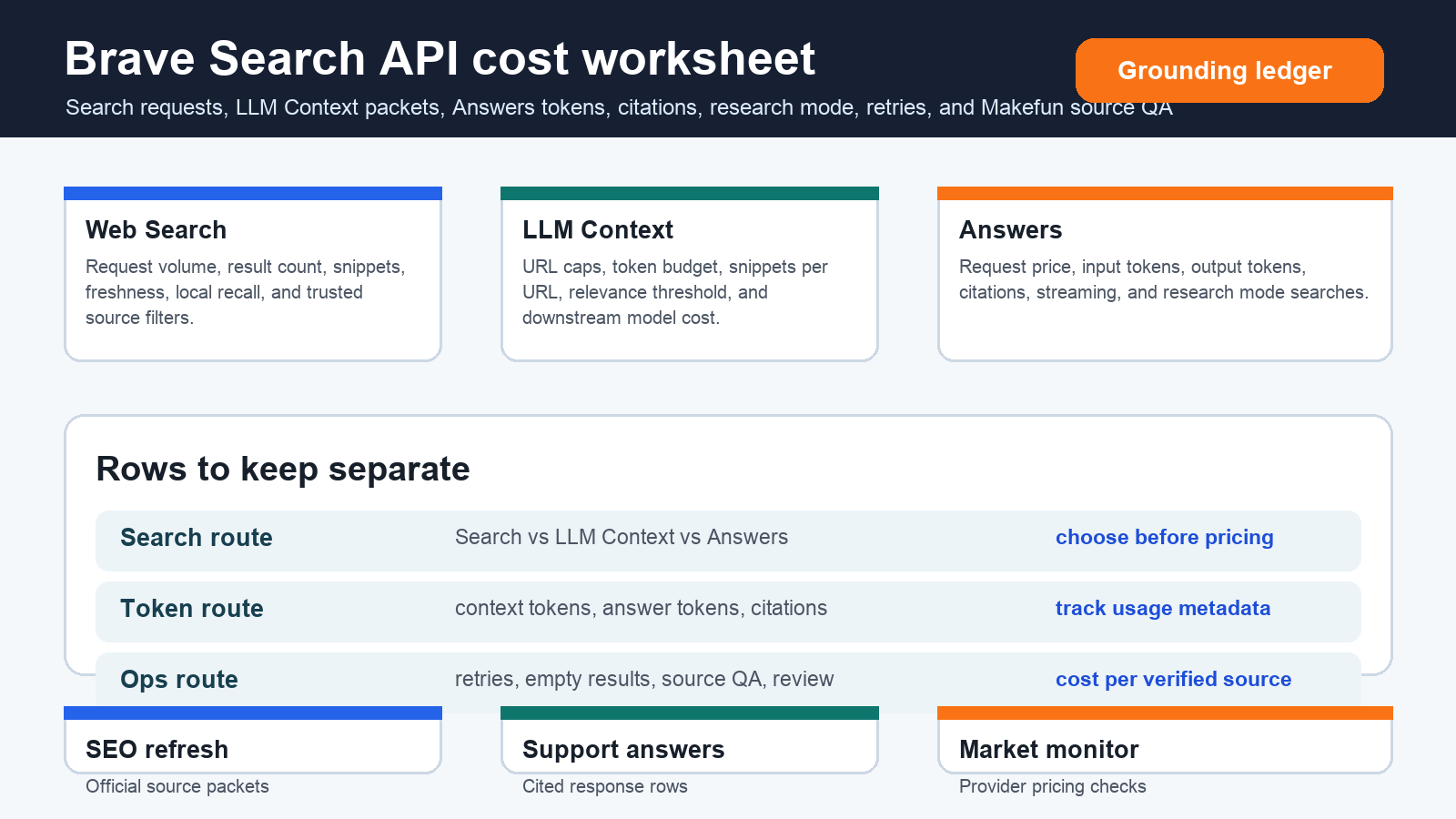
As of June 4, 2026, Brave Search API pricing should be modeled as a route decision before any team quotes a budget. The useful split is simple: use Web Search when you need ranked results and snippets, use LLM Context when Makefun or another model needs prepared grounding material, and use Answers when the workflow needs a cited response with request and token rows. Treat research mode, retries, failed searches, source QA, and downstream model tokens as separate rows instead of blending them into one headline API price.
Publication-time checks refreshed the official Brave Search API pricing page, Brave LLM Context documentation, Brave Answers documentation, and Brave’s AI Search API launch material. Those official pages are the source of truth because request prices, token rows, capacity, parameters, and product behavior can change.
Brave Search API pricing source snapshot
| Cost row | What to model | Budget caveat |
|---|---|---|
| Web Search | Search requests, result count, snippets, freshness, local recall, Goggles or trusted-domain filters, retries, and empty-result handling. | Good for source discovery and source packets, but synthesis and human review still happen outside the request price. |
| LLM Context | Query count, maximum URLs, maximum context tokens, tokens per URL, snippets per URL, relevance threshold, freshness, local recall, and downstream model cost. | Context output can make another model more useful, but the second model’s tokens and review work still belong in the worksheet. |
| Answers | Searches, input tokens, output tokens, citations, streaming, usage metadata, and single-search versus research-mode behavior. | Answers is an answer-generation route, not just a search route; request and token rows must both be counted. |
| Operations | Rate limits, retries, fallback queries, source freshness, citation QA, and Makefun publication or support handoff. | Budget cost per verified source packet or approved answer, not raw API calls. |
Search versus LLM Context versus Answers
Start with the route. Web Search is the lowest-friction row when a workflow needs fresh ranked results. LLM Context is the better row when a model needs extracted grounding material and the team wants to control URL, snippet, token, freshness, local, or Goggles filters. Answers belongs in a separate row when the product needs a cited answer, streaming behavior, and usage metadata. Research mode should be its own line because it can perform more search work and process more context than a single-search answer.
Three scenario calculator
| Scenario | Brave rows | Decision row |
|---|---|---|
| Makefun SEO source refresh | Monthly provider checks, queries per provider, trusted-domain filter, freshness window, LLM Context URL cap, token cap, retry rate, and human source QA. | Use cost per verified official source packet before scoring or publishing an article. |
| Support-doc cited answers | Questions per month, single-search versus research-mode share, input and output token budget, citations, streaming behavior, and escalation rate. | Use Answers when the cited response is the deliverable; use Search or LLM Context when Makefun owns the final synthesis. |
| AI market monitoring | Vendors watched, queries per vendor, freshness filter, snippets per URL, fallback provider, source dedupe, and reviewer minutes. | The winning route is the one that produces durable publication evidence, not just the lowest call price. |
Same-use comparison rows
Compare Brave only against the same workload. Tavily, Perplexity, You.com, OpenAI web search, Firecrawl, Apify, SerpApi, and local Makefun scripts use different units for search, extraction, crawling, answer generation, and model synthesis. A fair worksheet starts with the same monthly jobs, query count, source count, token budget, retry rate, and review standard before it compares providers. Avoid cheapest, best, fresher, safer, more private, or more accurate claims unless the exact scenario has current evidence.
Makefun workflow handoff
For Makefun operations, this calculator can sit beside live planning pages such as Pinecone Assistant context-token planning, Claude Batch API prompt-cache planning, Botpress AI spend planning, Airtable Field Agents credit automation, AWS Bedrock AgentCore governance, and Comfy Cloud API workflow costs. Those pages give adjacent cost context without pretending every provider uses the same billing unit.
Risks and caveats
- Refresh official Brave Search API, LLM Context, and Answers pages before quoting exact budgets.
- Keep request rows, answer-token rows, context-token rows, retries, and human review separate.
- Do not treat research mode as the same cost shape as a single-search answer.
- Use trusted-domain or Goggles filters when the workflow needs official-source evidence.
- Do not claim provider superiority without current same-scenario evidence.
FAQ
When is Web Search enough?
Web Search is enough when the workflow needs fresh ranked results, snippets, and official-source discovery, and Makefun or another model will do the synthesis separately.
When should LLM Context be used?
Use LLM Context when the workflow needs prepared grounding material with URL, token, snippet, freshness, relevance, local, or Goggles controls before it sends the context into another model.
How does Answers change the calculator?
Answers adds answer-generation economics: searches, input tokens, output tokens, citations, streaming, usage metadata, and research-mode behavior. Those rows should be modeled separately from raw search.
Can this replace official pricing pages?
No. Treat this as a worksheet structure. Brave and competitor official pages should be refreshed before procurement, publishing, or budget decisions.


