
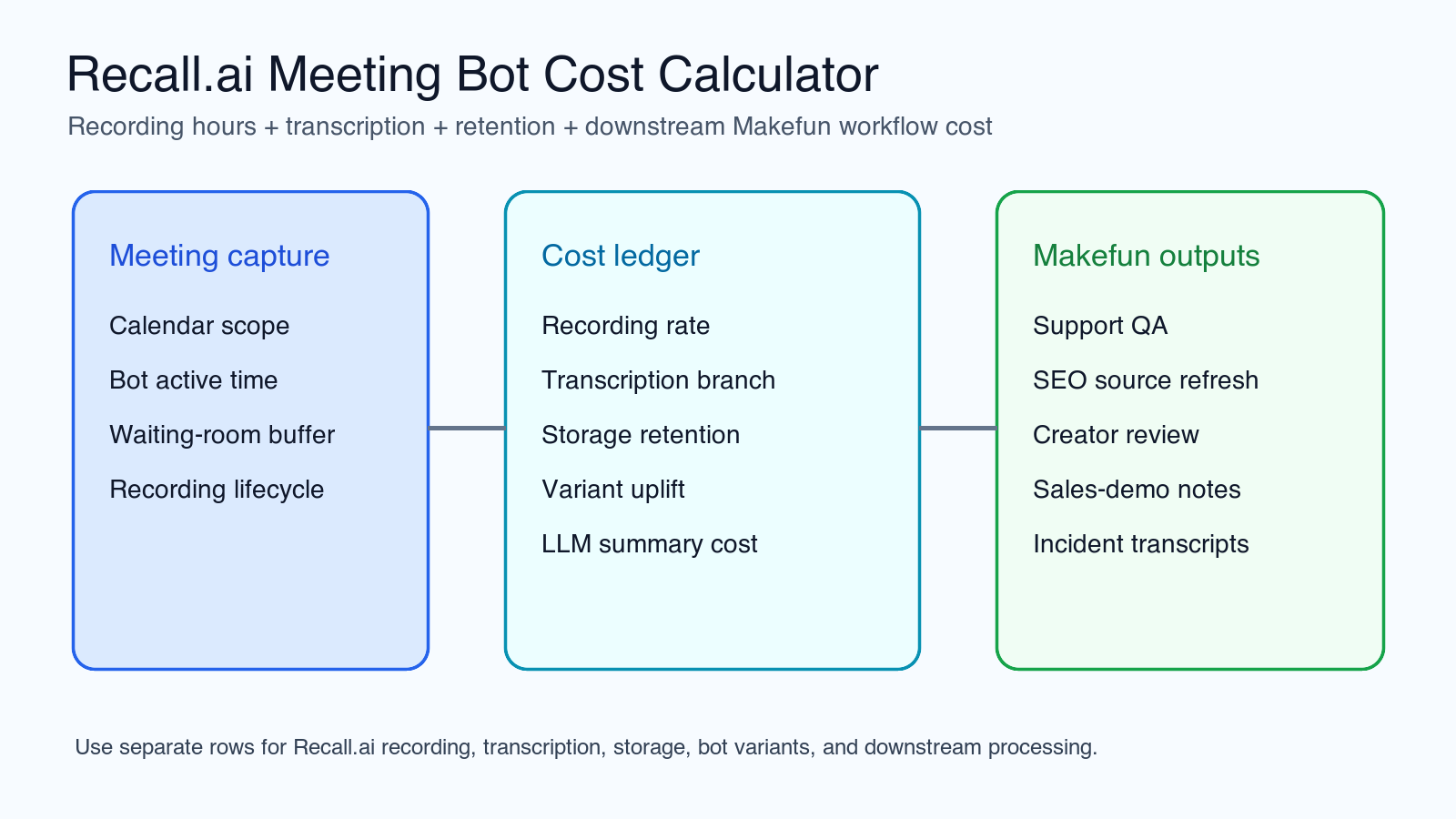
Recall.ai cost planning starts with bot active recording time, then adds transcription, retained media storage, bot variant uplift, calendar auto-join scope, and downstream transcript processing. Use this worksheet to separate the infrastructure cost of joining and recording meetings from the Makefun work that happens after the transcript is exported.
Recall.ai pricing snapshot for meeting bot recording, transcription, storage, variants, and Desktop SDK
Recall.ai is best modeled as a meeting-capture infrastructure line, not as a generic speech-to-text line item. The current official pricing and usage docs describe recording-hour billing for the Meeting Bot API and Desktop Recording SDK, built-in transcription options, bot active-time measurement, storage after the free retention window, and second-level usage calculation. Refresh the live pricing page before any numeric quote because rates, free-hour language, storage terms, and bot variant pricing can change.
For a Makefun workflow, keep these buckets separate: meeting bot recording time, waiting-room or early-join buffer, transcription hours, retained media, bot variant uplift, transcript export, downstream summary tokens, embedding or storage, and human review. That separation prevents a false “cheap transcript” conclusion when the real cost driver is retention, broad calendar auto-join, or post-meeting QA.
Cost formula: recording hours, waiting-room time, transcription hours, retained media, and downstream Makefun processing
The base worksheet is:
monthly_cost = bot_active_hours * recording_rate + transcription_hours * transcription_rate + paid_retention_hours * storage_rate + bot_variant_uplift + downstream_llm_summary_cost + reviewer_QA_time
Bot active hours should include the period when the bot is running in the meeting or waiting room. Do not use only spoken minutes. If the team joins every calendar event by default, model that as a separate branch from selected-event or manual-send workflows. For Desktop Recording SDK paths, use the recording lifecycle timestamps described in the official usage docs.
Worksheet 1: support-call transcript capture and knowledge-base updates
A support team might capture 200 selected customer calls per month, each averaging 45 minutes plus a 5-minute waiting-room buffer. The worksheet should show the first free recording-hour allowance, the current pay-as-you-go recording-hour rate, the chosen transcription branch, retained media beyond the free storage window, and the downstream LLM summary or editor QA cost.
This workflow usually needs customer or workspace attribution. Tagging by customer, support queue, escalation type, or campaign keeps the Recall.ai invoice tied to the Makefun task that created the meeting capture.
Worksheet 2: creator-review and sales-demo recordings with scoped calendar auto-join
Creator review and sales-demo workflows should not automatically record every meeting unless the team has a retention and consent policy for that. Compare three calendar branches: all-events auto-join, selected-events auto-join, and manual-send. Then compare transcript-only retention with 30-day media retention and export-to-own-bucket-before-delete workflows.
For transcription, separate Recall.ai post-meeting transcription, Recall.ai realtime transcription, and bring-your-own provider branches. Direct STT providers can be cheaper or more expensive depending on the exact transcript workload, but they do not replace bot join, calendar routing, meeting recording, and media retention by themselves.
Worksheet 3: incident, interview, and SEO source-refresh transcript workflows
Incident reviews, interviews, and source-refresh calls often have fewer meetings but longer durations. A 40-session monthly plan with 90-minute calls and 10-minute buffers can create a different cost profile from short support calls. Retained media and human verification may dominate the bill even when the recording-hour line looks simple.
For Makefun SEO work, the transcript is only the first artifact. The useful output is usually a source summary, quote extraction, issue list, content update task, or fact-check package. Keep the transcript capture cost separate from the editorial workflow that follows.
Decision table: Recall.ai versus Attendee, Fireflies, native meeting recording, and direct STT APIs
| Path | Use when | Do not treat as |
|---|---|---|
| Recall.ai Meeting Bot API | You need API-controlled meeting join, recording, transcription branches, storage, and calendar governance. | A pure transcription API. |
| Recall.ai Desktop Recording SDK | You need desktop-side recording control with the same cost family as the meeting bot path. | A replacement for all meeting-bot workflows. |
| Attendee or meeting-bot API alternatives | You want a developer-focused meeting bot comparison with recording and transcription bundled differently. | A universal cheaper winner. |
| Fireflies-style team notetaker | You prefer subscription seats, team notes, summaries, and collaboration features. | A raw API infrastructure substitute. |
| Deepgram, AssemblyAI, OpenAI audio, or cloud STT | You already own recording/export and only need speech-to-text or speech analytics. | A calendar-aware meeting capture stack. |
Cost-control checklist
- Reduce waiting-room timeout and early-join buffers.
- Scope calendar auto-join to high-value meetings.
- Choose Recall.ai transcription, realtime transcription, or BYO provider based on the actual language, latency, and billing need.
- Cap retention and export media before paid storage expands.
- Use customer_id or workspace metadata for attribution.
- Delete or archive media according to your policy; do not let default retention become the cost model.
- Separate downstream LLM summary, embedding, QA, and editor time from Recall.ai headline pricing.
Risks and publication notes
Refresh Recall.ai pricing, the 2026 pricing announcement, usage calculation docs, transcription docs, storage/playback docs, and the Meeting Bot API page before relying on exact numbers. Avoid cheapest, best, reliability, accuracy, security, privacy, or compliance claims unless the same-scenario evidence supports the exact wording. For Makefun users, the practical decision is usually whether meeting capture, retention, and transcript handoff are worth the operational control compared with direct STT or subscription notetaker workflows.
Related Makefun calculators: LiveKit agents voice video cost calculator, Deepgram voice-agent Aura2 cost matrix, Pipecat Cloud agent hosting cost calculator, Cartesia Sonic and Ink voice agent cost matrix, and Gemini Live API session cost calculator.


