
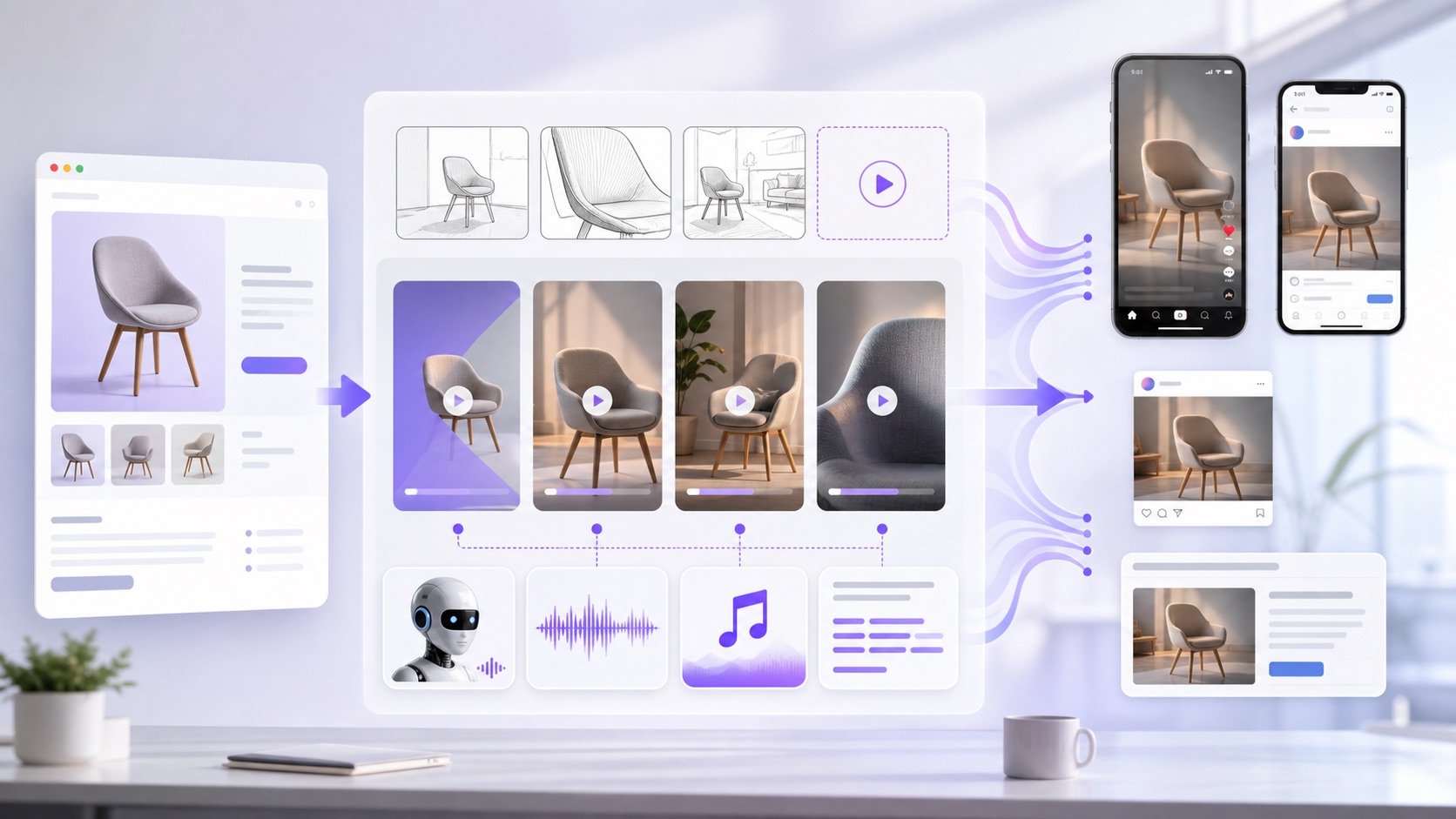
Creatify Agent AI ad generator is a timely example of how AI video tools are moving from single-shot generation toward full creative production loops. Instead of asking a model for one clip, the workflow starts from a brief or product URL, plans the ad, generates scenes, adds voiceover and music, and refines the output for social placements.
For Makefun readers, the SEO opportunity is not just the Creatify product name. The larger search intent sits around AI ad generators, URL-to-video ads, UGC-style product videos, AI avatar ads, and agentic video workflows for TikTok, Instagram, Meta, YouTube, and other short-form channels.
What Creatify Agent Adds To AI Ad Creation
Creatify describes Agent as a creative system built for finished image and video creatives, not just a general text-to-video model. Its public feature page emphasizes reading the brief, researching the brand and category, planning scenes, generating shots, scoring audio, compositing the ad, and reviewing the result against the original brief.
The May 18, 2026 launch announcement frames the product as an AI creative agent trained specifically on advertising performance data. That positioning matters because marketers usually need more than a visually attractive clip: they need hooks, pacing, product fidelity, persona consistency, and multiple ad variants that can be tested quickly.
Search Intent: From Product URL To Finished Video Ad
Creatify’s existing URL-to-video and app messaging shows the practical demand behind this topic. Users want to paste a product page, supply a short brief, or describe an offer, then receive ad-ready creative for paid social without filming a new UGC asset or editing a timeline from scratch.
This overlaps with several Makefun content clusters. If a team is already exploring AI video generation, agentic video workflows, commercial video pre-production, or AI avatar tools, Creatify Agent is another signal that ad creation is becoming a multi-step AI workflow rather than a one-prompt render.
Where It Fits Beside Other AI Video Tools
General AI video generators are useful when the main goal is image-to-video, text-to-video, motion design, or cinematic generation. An AI ad generator has a narrower job: it has to understand a product, choose an angle, match the platform, produce multiple variants, and leave room for testing. That is why adjacent tools increasingly talk about agents, creative scoring, product links, batch generation, and campaign launch workflows.
Makefun already covers related market movement, including Vidu Claw AI marketing agent and Shutterstock AI Video Generator. Creatify Agent is distinct because the main search fit is performance-ad creative: URL-to-video ads, AI UGC ads, product video ads, and agent-assisted creative iteration.
What To Watch Before Using AI Ad Agents
- Brand accuracy: product visuals, claims, and positioning should be reviewed before any ad goes live.
- Platform fit: a TikTok-style hook is different from a YouTube pre-roll or Meta feed creative.
- Testing discipline: the main value is often fast variation, not a guarantee that every generated ad will convert.
- Usage rights: teams should check avatar, music, voice, product image, and platform policy requirements before publishing at scale.
FAQ
What is Creatify Agent?
Creatify Agent is an AI creative agent for producing image and video ad creatives from a brief, product URL, or campaign direction. Public Creatify materials describe a workflow that includes brand research, scene planning, shot generation, audio, editing, and review.
Is Creatify Agent the same as a text-to-video model?
No. A text-to-video model usually creates a clip from a prompt. Creatify Agent is positioned as a production workflow for ad creatives, where the system can plan, generate, assemble, and revise a multi-scene ad around marketing goals.
Who should track this topic?
Performance marketers, ecommerce teams, creator agencies, and AI video builders should track this category because it connects video generation with product URLs, avatars, scripts, voiceover, music, and platform-ready ad formats.
Sources
- Creatify Agent feature page
- Creatify Agent launch announcement
- Creatify Agent help article
- Creatify AI UGC Video Ad Maker app listing
July 2026 Creatify API credit worksheet
Verifier refresh, July 11, 2026: Creatify’s current Billing, Changelog, Aurora, URL-to-video, and FAQ pages make this page useful as an API credit worksheet, not only a product overview. Treat API spend as a workflow budget: plan subscription credits, URL-to-video renders, Aurora avatar seconds, preview or retry loops, product-video tests, ad-clone seconds, TTS, link parsing, and the Makefun handoff before approving a batch.
Official billing snapshot
- API plans: API Starter lists 500 monthly credits at $99/month, API Pro lists 2,000 monthly credits at $299/month, and Enterprise is routed to sales for high-volume or custom needs.
- Core generation rows: URL to Video, AI Avatar, and Custom Template Video are 5 credits per 30 seconds; Text to Speech is 1 credit per 30 seconds; Links are 1 credit per link.
- Aurora change: the May 2026 changelog and current billing page put aurora_v1 at 1 credit per second and aurora_v1_fast at 0.5 credits per second, with partial seconds rounded up.
- Other production branches: Product Video image/video, Ad Clone, AI Shorts, AI Editing, AI Scripts, balance checks, and enterprise volume paths should be separate worksheet rows instead of hidden inside one average cost.
URL-to-video ad worksheet
For a product URL to approved social ad, use one row per creative variant: API plan, monthly credits, link object, preview count, final render duration, model_version, retry allowance, estimated credits, approval owner, and Makefun handoff route. The useful planning unit is the approved ad, not the first render, because previews and retries can change the credit burn.
Aurora avatar batch worksheet
For Aurora avatar UGC, separate aurora_v1 from aurora_v1_fast, seconds per clip, per-second rounding, voice or audio source, custom-avatar constraints, variant count, approval rate, estimated credits, and per-approved-clip cost. If endpoint snippets lag the Billing or Changelog language, resolve exact rate decisions against the current Billing, Changelog, and Aurora overview before launching the batch.
Product-video, ad-clone, TTS, and link tests
For mixed ad testing, track source asset count, product image rows, product video seconds, ad-clone seconds, AI Shorts seconds, TTS seconds, links, retry rate, balance threshold, and QA owner. Creatify’s FAQ says insufficient credits can block job creation or processing, so a balance check belongs before large render batches.
Makefun handoff decision
- Use direct Creatify API when the team needs Creatify-specific URL-to-video, Aurora, avatar, product-video, or ad-clone endpoints and can own credit monitoring.
- Use Makefun workflow planning when the goal is a simpler AI avatar, image-to-video, video API, lip-sync, or product-avatar production path with human review before publishing.
- Escalate to enterprise terms when the plan needs more than 2,000 videos per month, dedicated custom-avatar capacity, volume discounts, or a larger credit pool.
Related Makefun routes for production planning: AI Avatar API, image-to-video, AI video API, talking video lip-sync, product avatar, and fal video API cost router.
Sources refreshed July 11, 2026: Creatify API Billing, Creatify API Changelog, Creatify API FAQ, Creatify Aurora overview, Create video from link, and AI Avatar v2 task.


